





Recruiters lose entire days to administrative tasks that a tool could handle, like posting jobs, parsing resumes, chasing schedules, and updating candidates. Recruitment automation hands those repeatable tasks to rules and AI, so recruiters spend more time on judgment and relationships. This guide gives you a build sequence for that shift and a vendor-neutral way to choose tools, not another ranked product list.
What Recruitment Automation Is and Isn't
Recruitment automation comprises software workflows and AI tools that execute repeatable hiring tasks while people stay on the decisions. In practice, that means parsing resumes, ranking applicants, routing candidates, sending reminders, booking interviews, and posting status updates. It does not choose who gets hired.
Two kinds of automation do the work. Rules-based workflow automation fires an action when something changes, such as advancing a candidate or sending a confirmation. AI-powered automation reads unstructured data to screen and match, producing a scored shortlist.
It is not a replacement for recruiters. Automation clears the queue so they can spend time on evaluation, candidate conversations, and hiring manager alignment.
Recruitment Automation vs. an ATS vs. Recruiting Tools
Buyers often blur three terms. The plain distinction:
- An ATS is the system of record that stores candidates and tracks them through stages.
- 'Recruiting tools' is an umbrella term covering sourcing engines, scheduling apps, and everything alongside them.
- Recruitment automation is the layer that connects those systems and triggers actions between them.
In most recruitment tool stacks, the automation lives inside the ATS, which is why teams consolidate rather than stitch separate tools together. For how the stages connect, see our guide to the recruitment pipeline and the broader definition of talent acquisition.
What to Automate First: Mapping Your Hiring Workflow
Start by mapping your hiring funnel end to end: requisition, sourcing and job distribution, screening, scheduling, communication, offer, and onboarding. Timestamp where the hours actually go.
Then automate the stage with the biggest time leak, prove it works, and expand to the next one. The honest warning: automating a broken process only makes it fail faster. Fix the process on paper before you wire it up.
Teams that map first often find the worst leaks in screening and scheduling. Our notes on hiring efficiency and the recruitment pipeline can help you spot them.
How to Build an Automated Recruiting Workflow
A starter stack has three functions. Add specialists later only if a stage needs them.
- System of record: an AI-enabled ATS holds your triggers, stage rules, and templates.
- Scheduling: a self-serve booking tool such as Calendly lets candidates pick their own slots.
- Connective glue: a no-code layer such as Zapier wires stages and systems that do not integrate natively.
Optional additions include a sourcing engine, an interview-notes tool, or an e-signature tool for offers. Build the workflow in order, with a human checkpoint at every decision:
1. Process Mapping and Time Auditing
Automating an inefficient process only accelerates chaos. Mapping your current recruitment lifecycle end to end exposes administrative bottlenecks, redundant manual tasks, and candidate drop-off points before introducing software.
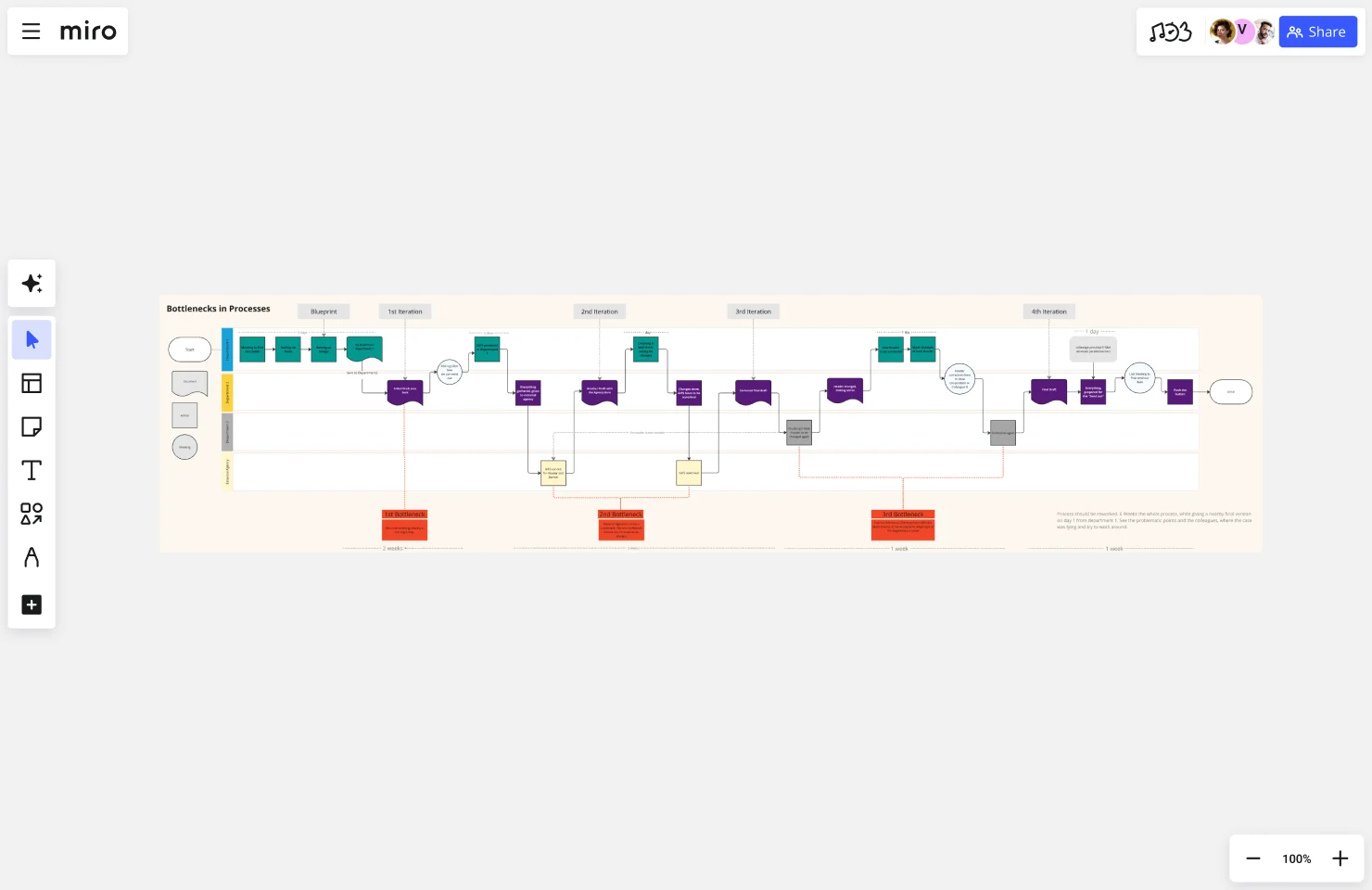
How to Run It: Have your talent acquisition lead map every stage from requisition to offer using Miro's Process Mapping Template. Timestamp where recruiter hours are spent (such as manual interview scheduling or status updates) to identify high-impact automation targets.
2. Requisition and Job Intake Automation
Manual requisition approvals and job posting setups create unnecessary latency before a role opens. Standardizing intake data allows teams to generate job descriptions and distribute postings simultaneously.
How to Run It: Create a structured requisition request form in Google Forms to automatically route hiring manager approvals. Use structured prompts in ChatGPT or Claude to draft initial job descriptions from intake notes, then publish to multiple job boards through a single ATS action.
3. Application Capture and Resume Parsing
Extracting candidate details manually from PDFs and application forms consumes hours of recruiter time and leads to incomplete candidate records. Automated capture standardizes applicant data into clean, searchable profiles instantly.
How to Run It: Configure career site forms and job board feeds to send applications directly into your ATS parser. Establish field-mapping rules so candidate contact details, skills, and work histories transform into structured data automatically upon submission.
4. AI-Driven Screening and Shortlisting
High applicant volume often causes screening backlogs that leave top candidates waiting. AI scoring evaluates applicants against core job requirements to surface qualified profiles rapidly while preserving human oversight.
How to Run It: Define skill, experience, and certification criteria within your ATS AI matching engine to rank incoming applicants. Require a recruiter review for all generated shortlists, adhering to EEOC technical assistance guidance on AI and algorithmic fairness to ensure AI assists with screening without making autonomous rejection or hiring decisions.
5. Automated Routing and Candidate Communication
Candidate drop-off frequently occurs when applicants go silent during stage transitions. A rules engine earns its keep here by automatically advancing candidates and executing communication rules across the pipeline.
How to Run It: Set automated rules, such as those in Manatal’s Workflow Automation, that trigger personalized confirmation emails, stage updates, and reminders whenever a candidate moves through the funnel. Use ATS email templates with dynamic tags to auto-advance candidates and keep applicants updated without manual recruiter intervention.
{{cta}}
6. Self-Serve Scheduling and Manager Handoffs
Back-and-forth emailing to coordinate interview availability delays hiring decisions by days. Self-serve calendar tools allow candidates to pick their own interview slots while managers receive centralized candidate context.

How to Run It: Embed self-serve booking links from tools like Calendly or Cal.com directly into automated interview invitations. Automatically send hiring managers shared ATS review links with standardized scorecards ahead of every interview.
7. Cross-System Connectivity and Context Passing
Siloed hiring tools force recruiters to manually re-key data across platforms, creating fragmented candidate records. A rules engine and no-code layer carry context smoothly across your entire recruitment tech stack.

How to Run It: Use native ATS capabilities or no-code platforms like Zapier and n8n, or leverage Manatal's Open API, to seamlessly connect your recruitment stack across 3,000+ applications. Configure rules to sync interview feedback, candidate status changes, and background check triggers across systems without manual data entry.
8. Performance Measurement and Optimization
Automation requires continuous tracking to ensure triggers function correctly, candidates remain engaged, and decision timelines improve. Measuring workflow performance isolates broken steps before expanding automation to new stages.
How to Run It: Track key hiring metrics, such as time-to-decision and stage-by-stage drop-off rates, using custom dashboards in Google Looker Studio or your ATS analytics engine. Refine triggers regularly and audit decision steps to ensure fairness and efficiency.
Email is one channel inside that communication layer, not a separate project here. For drip sequences, deliverability, and CAN-SPAM and GDPR specifics, see our guide to recruitment email marketing.
Why Automation Projects Stall
Most automation projects stall for one reason: teams automate a process they never mapped. Organizations bolt on one tool per stage until the stack half-covers the funnel and nothing connects. That gap is why Gartner reported in October 2025 that 88% of HR leaders have not seen significant business value from AI tools.[1]
The starting point is the process itself. Map the workflow first, automate on one system of record, and keep humans on the decisions that matter.
Benefits by Dimension (Backed by Data)
The payoff shows up in four places:
- Efficiency: recruiters reclaim hours by handing repetitive admin to rules and AI.
- Quality and consistency: structured screening returns a ranked shortlist instead of an unsorted pile, and every candidate gets the same steps.
- Candidate experience: fast replies and self-scheduling read as responsiveness, not coldness.
- Cost and scale: lower cost-per-hire at volume, and coverage across roles and regions without new headcount.
The efficiency case is easy to underestimate. According to GoodTime's 2026 Hiring Insights Report, 90% of companies missed their hiring goals due to operational bottlenecks and scheduling friction.[2] Implementing dedicated recruitment tools targets this operational bottleneck, allowing talent acquisition teams to eliminate busy work, automate repetitive tasks, and streamline candidate management from first touch to final offer.
Fairness, Bias, and Compliance
Automated hiring decisions carry legal duties. In the US, New York City's Local Law 144 requires bias audits of automated employment decision tools.[3] The EEOC can scrutinize any process that creates adverse impact, and handling candidate data across regions brings GDPR obligations.
A few habits keep this defensible. Keep a human accountable for every selection decision. Disclose AI use to candidates, let them opt out, and audit decision tools before you turn them on.
How to Measure Whether Automation Worked
Automation is only worth keeping if the numbers move. Track time-to-fill, time-to-decision between rounds, candidate drop-off, cost-per-hire, and source-of-hire before and after each change.
Reforecast on the new baseline and reallocate effort to the next leak. If a metric stalls, look at the process before blaming the tool. For a deeper metric set, see our guide to hiring efficiency.
Conclusion
Recruitment automation delivers measurable ROI when approached as an intentional build rather than a software purchase. Map your funnel, automate the highest-friction bottlenecks first, prove the metrics, and keep human oversight on every critical decision. As an AI-enabled ATS with built-in workflow automation used by recruiting teams globally, Manatal allows users to configure automated triggers and centralize candidate pipelines within a single platform. Teams can set up custom recruitment workflows by accessing a free trial on the platform.
Frequently Asked Questions
Q: What parts of the recruitment process can be automated?
A: Any stage with a predictable pattern can be automated, including job posting and distribution, resume parsing, candidate scoring, interview scheduling, status updates, reference triggers, and offer routing. Evaluation, final selection, and offer decisions should always remain human responsibilities. Manatal's workflow automation and AI scoring cover these rules-based and screening stages while keeping human recruiters in control of key hiring decisions.
Q: Is there free recruitment automation software?
A: Free tiers and open-source options exist, but they usually cap automation depth, integrations, and reporting, so most teams outgrow them as volume rises. Weigh the free tool's limits against the admin hours it removes, and check pricing at two to five times your volume before committing.
Q: What is the difference between recruitment automation and an ATS?
A: An ATS serves as the central system of record that stores candidate profiles and tracks hiring stages, while recruitment automation provides the underlying triggers and rules that act on that data. Most teams run automation natively inside an AI-enabled ATS rather than stitching separate tools together, which is how Manatal combines candidate management and rules-based workflows into a single platform.
Q: Is recruitment automation legal and compliant?
A: Yes, when it is properly governed. Automated hiring workflows must adhere to regulatory frameworks such as New York City's Local Law 144 bias audits, EEOC adverse-impact scrutiny, and GDPR candidate data requirements. To maintain legal compliance, organizations should maintain human accountability for selection decisions, disclose AI usage to applicants, and document their automated evaluation processes.
Q: Does recruitment automation reduce or worsen hiring bias?
A: Either is possible. Structured and consistent screening can minimize subjective human bias, but an unaudited model can perpetuate existing hiring inequities. To prevent automated bias, platforms like Manatal use AI recommendations to score and rank candidates objectively while requiring human recruiters to make all final screening, rejection, and hiring decisions.
Citations
.webp)






.webp)

.webp)


.webp)


