


“This meeting could have been an email” is often uttered due to the sheer amount of time and energy lost in meetings. Decisions, notes and nuances can last only as long as someone jots down detailed notes, or has a superhuman memory. Recruiters and hiring managers lose time, sanity and focus when they are forced to manually document interviews and client calls. Attempting to capture every detail on a keyboard often comes at the expense of active listening and candidate engagement.
The Manatal AI Notetaker is specifically designed to eliminate this burden completely.
This feature automatically joins your calls scheduled via Google or Microsoft Calendar, records the video, and transcribes the audio, allowing you to focus completely on the conversation. It is one example of how Manatal AI reduces manual work while preserving focus during critical recruitment conversations.
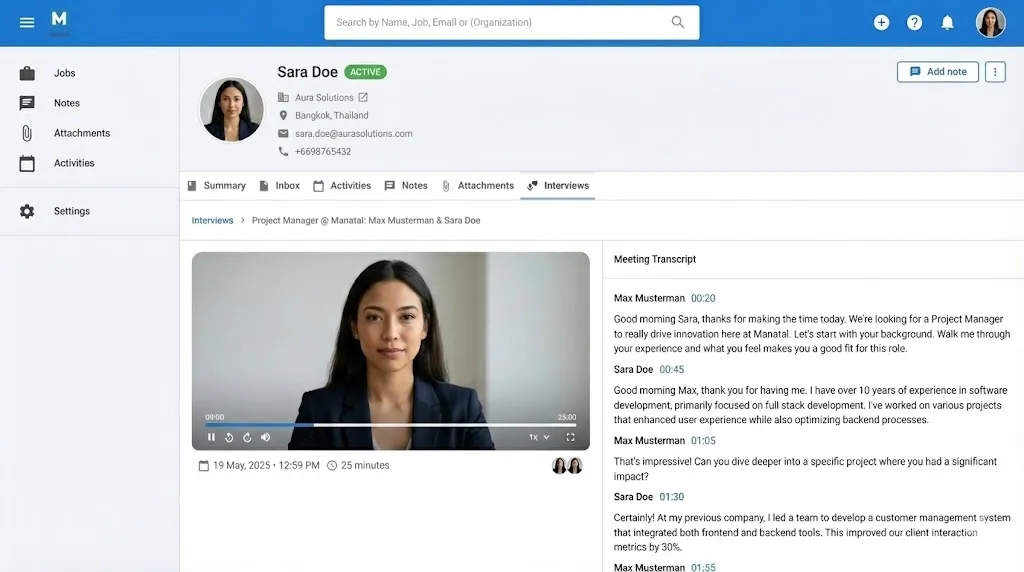
What it Does
With the AI Notetaker, you no longer need to worry about manually taking notes or worse yet, losing them in the Google Drive maze of infinite folders. The AI Notetaker records and manages this for you. Need to look up what everyone agreed on in that one meeting from last quarter? Now you can get to your notes without egregious rounds of memory exercises of sorting through files and scrolling through rough, manual notes.
- The AI Notetaker handles every stage of meeting documentation for calls with both candidates and contacts.
- It automatically joins your scheduled meetings, records the entire meeting, including the video, and creates a full transcript. All recording data is then securely stored back into Manatal.
How It Works
The functionality of the AI Notetaker is driven by native calendar integration and simple settings toggles.
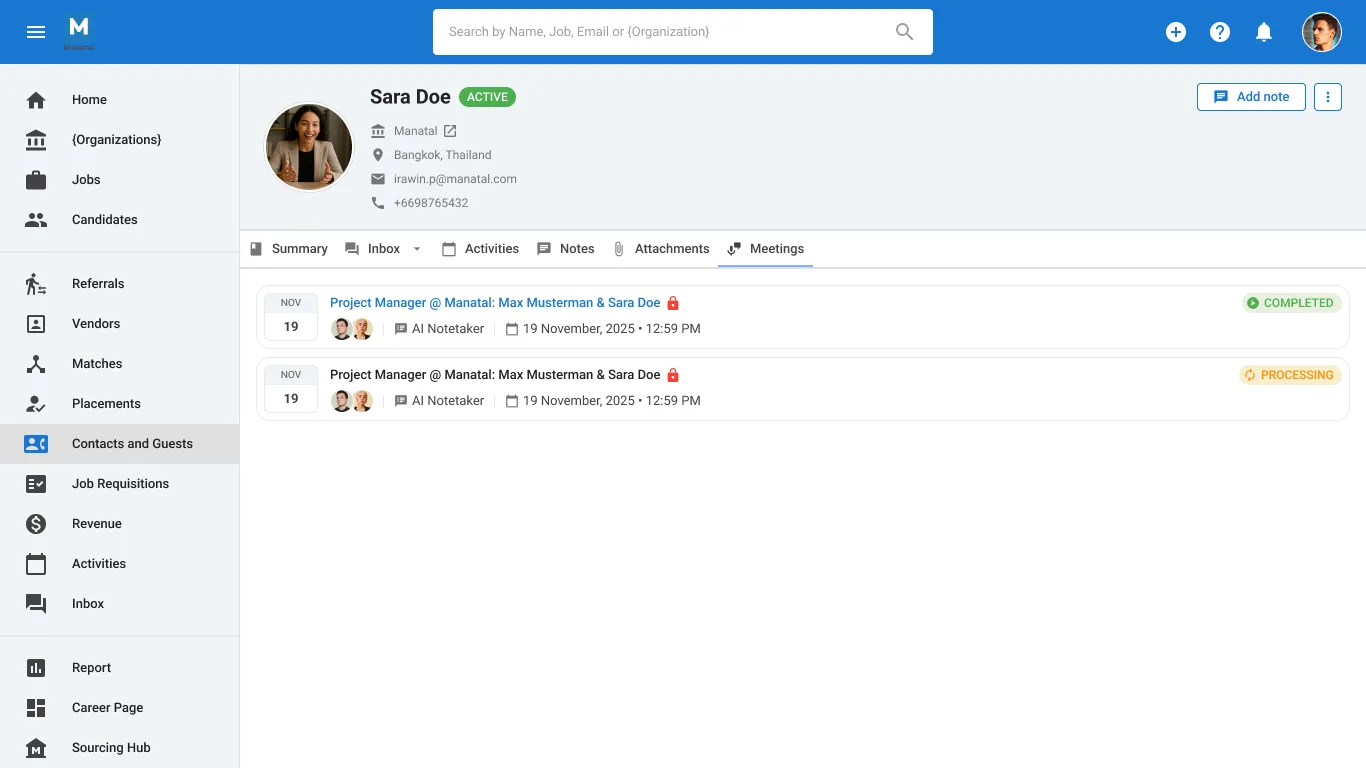
- Calendar Integration: To allow Manatal to sync your scheduled meetings, you need to integrate either your Outlook or Google calendars.
- Auto-Join Mechanism: Once your calendar is connected, you can set the AI Notetaker to automatically join, record, and transcribe calls scheduled with candidates or contacts from your database.
- Data Access: After the meeting is complete, the recording and transcript are automatically saved to the relevant candidate or contact profile.
How to Get Started
Ready to make your meetings more productive? Get subscribed here >>
- Existing users: Read the documentation or try it out now >>
- New to Manatal? Book a demo to see the feature in action >>
Note: This feature is currently in Beta. You may expect updates and changes to accessibility or pricing as we refine and enhance it.
.webp)






.webp)

.webp)


.webp)


