





Time to fill and time to hire sound like the same number, and plenty of teams use them interchangeably. They measure different things and answer to different owners. Each one starts the clock at a different moment and points to a different fix when hiring drags. Read time to fill vs. time to hire correctly, and you stop speeding up interviews when the real delay sits in sourcing. This guide covers what each metric means and the exact difference between them. You also get both formulas with one worked example, how to read the gap, and how to track both without rebuilding a spreadsheet every week.
Time to Fill vs. Time to Hire at a Glance
Here is the short version before the details. When both metrics use offer acceptance as the endpoint, the main difference is where the clock starts.
What Is Time to Fill?
Time to fill measures the number of days between requisition approval and a candidate accepting an offer. It shows the total length of the hiring process, including sourcing, screening, interviewing, and offer negotiation. The metric varies by industry, role, location, and the methodology used to define its start and end points, helping agencies assess hiring efficiency. For example, if an agency's average time to fill a tech role is 45 days but exceeds this, they may analyze steps like sourcing or interviewing to identify bottlenecks. Reducing time to fill means securing top talent quickly, minimizing the risk of losing candidates to competitors while optimizing resources. To calculate it, subtract the job posting date from the offer acceptance date.
How to Calculate Time to Fill
Time to Fill = Day Candidate Accepted Job Offer - Day Job Ad Published
- If you want to calculate your average time to fill for a given period (e.g., a year), you can add up all the time-to-fill measurements for each position you filled in that period and then divide by the number of roles.
(Time to Fill for Role A + Time to Fill for Role B + Time to Fill for Role C) / 3 = Average Time to Fill
What Is Time to Hire?
Time to hire measures the number of days from when the successful candidate enters the recruiting process to when they accept an offer. For applicants, this may be measured from the application date. For sourced candidates, the start point can be the date they enter the pipeline or are first contacted, depending on the organization's methodology.
Time to hire is crucial for assessing selection efficiency and improving candidate experience. If it’s too long, candidates may lose interest or develop a negative impression of the company; if too short, recruiters might rush decisions and overlook vital information.
How to Calculate Time to Hire
Time to hire = Date offer accepted - Date the winning candidate entered the pipeline.
To optimize its recruitment strategy, an agency might bring in a consultant. If data shows their average time-to-hire for software developers spans 45 days compared to the 30-day industry benchmark, potential solutions include the following:
- Analyze the Selection Process: Identify bottlenecks, such as lengthy resume screening, and implement an Applicant Tracking System (ATS) to streamline this stage.
- Enhance Candidate Engagement: Improve communication with applicants by sending regular updates during the hiring process to maintain interest.
- Refine Job Descriptions: Adjust descriptions to better attract suitable candidates and reduce lengthy interview processes.
- Expand Talent Pool: Broaden sourcing channels or offer competitive incentives to attract candidates more quickly.

How to Track Time to Fill and Time to Hire
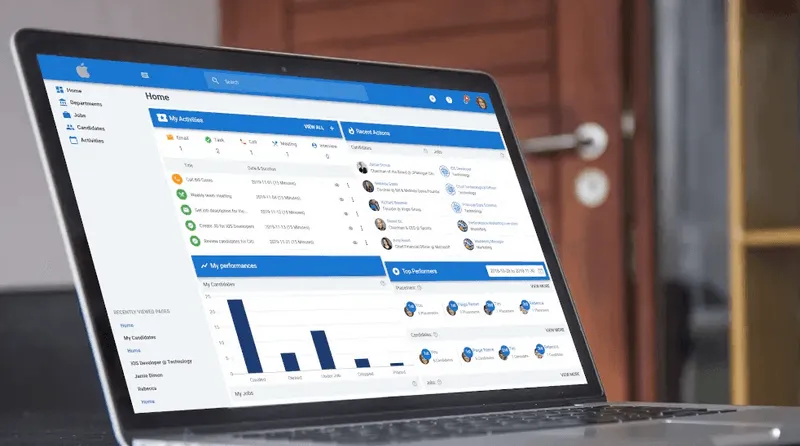
Calculating both metrics by hand across many open roles is slow and out of date the moment you finish. The days that matter are buried in stage-level timestamps that a spreadsheet rarely captures cleanly. Recruitment analytics built into your ATS timestamp each stage and compute metrics per role, per stage, and per recruiter. That shows you exactly where the days accumulate.
Manatal's Reports & Analytics offers 20+ prebuilt hiring KPIs, including time-to-fill and time-to-hire. For the wider set of measures worth watching, our recruitment KPI guide lays them out.
{{cta}}
What the Gap Between the Metrics Tells You
The gap between time to fill and time to hire is a diagnostic, not a scorecard. It tells you which part of the process to fix.
A large time to fill next to a small time to hire points to sourcing, requisition approval, or applicant attraction. The interview loop is not your problem in that case. A time to hire that is nearly the whole time to fill means the role was filled fast once posted. Interview and decision speed is the lever to pull there. Speed matters, because a slow process loses candidates. In Cronofy's Candidate Expectations Report, 42% of candidates said they left a hiring process when scheduling an interview took too long. [1] The global average time to hire runs around 44 days, as reported by SIA. [2]
Time to fill and time to hire are most useful when you read them together. The gap between them is the real signal. It shows whether your delay lives in sourcing and approvals or in the interview loop. That is where a fix will actually move the number. Teams that track both, stage by stage, fix the right bottleneck instead of speeding up a stage that was never the problem.
How to Improve Both Metrics
Once the gap points you to the right stage, a few levers do most of the work:
- Pre-approve headcount so sourcing can start the day a role opens.
- Compress and structure the interview loop with fixed stages and scorecards.
- Assign single-owner accountability for each open role.
- Benchmark against your own industry and history, not a national average.
Every extra day a role stays open carries costs. The average cost per hire in the United States is roughly $5,475 for non-executive roles, according to SHRM's 2025 Benchmarking Report. [3] For a deeper playbook and industry-specific ranges, see our guide to reducing time to hire and our recruitment benchmarks breakdown.
Conclusion
Time to fill measures how long a vacancy stays open, from requisition to accepted offer. Time to hire measures how fast you move a candidate through the pipeline once they enter it. Track both, then read the gap between them to know whether to fix sourcing and approvals or the interview loop. That is where reading the two metrics together pays off, because you spend effort on the stage that is actually slowing you down. See both numbers update as candidates move through your pipeline, and pinpoint where the days pile up.
Start a 14-day free trial with Manatal now.
Frequently Asked Questions
Q: Can time to fill and time to hire ever be the same number?
A: Yes. They match when the person you hire applies on the first day the role is posted, leaving no sourcing gap between the two start dates. With Manatal’s custom pipeline stages and instant applicant logging, tracking both metrics in the same reporting environment can simplify monitoring.
Q: Which metric should I prioritize, time to fill or time to hire?
A: It depends on what you are diagnosing. Use time-to-fill for sourcing and workforce planning questions and time-to-hire for interview loop efficiency. Manatal’s built-in analytics reports can help teams compare the metrics and identify trends.
Q. Why is time to fill usually longer than time to hire?
A: It includes the sourcing and approval time before the winning candidate enters the pipeline, so it covers everything time-to-hire does, plus more. With Manatal's automated job board distribution and AI-driven candidate matching, recruiters can significantly shorten this early phase.
Q: What counts as a good time to fill?
A: It depends on your industry, role, and seniority, so compare against your own history first. For sector-specific ranges, see our recruitment benchmarks guide. Manatal helps you monitor these benchmarks historically through reporting, allowing your team to spot bottlenecks and set realistic hiring targets.
Q: Does time to fill include onboarding or time to start?
A: No. Both metrics end at offer acceptance. Time to start is the separate metric that runs to the new hire's first day on the job.
Citations:
.webp)







.webp)

.webp)


.webp)


