





When someone searches for "job ads on Facebook," they're no longer looking for a simple "post and pray" solution. Facebook discontinued its native Jobs feature, but that hasn't diminished its power as a recruitment channel. In fact, with 3.07 billion monthly active users [1], the platform has evolved from a passive job board into an active candidate engagement engine. This guide shows how to leverage Facebook's vast audience via organic posts, community groups, and paid advertising.
The Shift: From "Job Boards" to "Social Recruiting"
Facebook has transitioned from a simple job board to a dynamic social platform. Job ads must now be engaging and eye-catching to compete with personal content and viral videos. This shift enables employers to reach passive candidates, who aren't actively job seeking but may respond to the right opportunity.
Massive Reach & Passive Candidates
Facebook's 3.07 billion users provide a vast talent pool that surpasses traditional job boards, as most users are not specifically searching for jobs. This passive engagement is beneficial for recruiters because top candidates, often employed and not actively job hunting, still frequently use Facebook. By placing job ads in their feeds, recruiters can present unique opportunities without competing against numerous other listings, unlike on traditional job boards, where multiple postings vie for attention simultaneously.
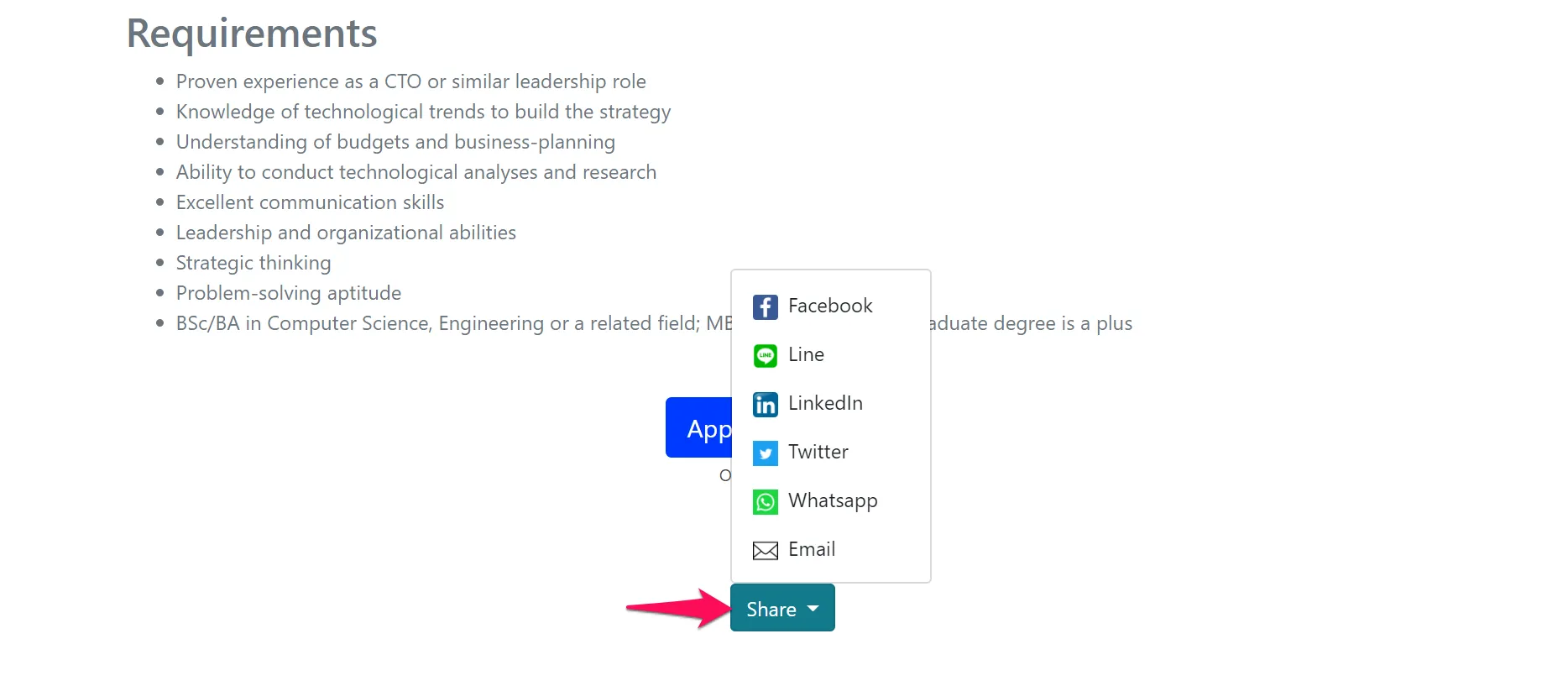
Since Meta deprecated the Facebook Jobs integration API, the recruitment software landscape had to adapt. Manatal ATS solved this by focusing on what actually matters: making it effortless to share optimized job content to your social channels. The platform allows you to create a job posting on the career page once, then share a visually optimized link to your Facebook feed with a single click.
{{cta}}
Free Sourcing: The Power of Groups & Community
The most cost-effective strategy for posting job ads on Facebook in 2025 centers on Facebook Groups. These communities, organized around industries, locations, or professions, offer targeted access without advertising spend.
Groups like "Austin Tech Jobs," "Nurses of New York," or "Remote Marketing Professionals" function as modern niche job boards, but with built-in communities and peer validation. When you share a vacancy in a relevant group, you're reaching members who opted in specifically for employment opportunities in that niche.
The key is authenticity. Don't just spam links. Join groups genuinely relevant to your hiring needs. Contribute to discussions, answer questions, and establish a presence before posting. When you do share a job, frame it conversationally: "Our team is looking for someone who loves Python and hates boring projects. Know anyone?" performs better than a formal job description.
Note that Facebook Marketplace's job posting functionality has been restricted in many countries. Groups now represent the primary free channel for posting ads on Facebook that job seekers are likely to see.
Paid Precision: Facebook Ads Manager
Paid job ads on Facebook, especially through Ads Manager, offer precise targeting options that organic posts lack, enhancing visibility for hard-to-fill roles. Businesses can target specific demographics, interests, and behaviors to extend their reach beyond organic limits (now averaging 1.65%) [2]. With starting budgets as low as $5 per day, this method can be cost-effective, especially when considering the high value generated from a quality hire compared to the costs of recruiter fees or long vacancy periods. Creating job ads involves setting objectives, crafting compelling content, and linking to application pages, while the platform ensures visibility.
Mobile-First Frictionless Experience
Here's a statistic that should shape every decision: 98% of Facebook users access the platform via mobile devices [3]. Your job ad will be viewed on a phone. Your application process will begin on the phone. If either experience is clunky, you've lost the candidate. This means your job ad must link to a mobile-optimized application page. Long forms requiring desktop completion create an immediate drop-off. Candidates won't bookmark your posting to apply later; they'll move on.
Modern applicant tracking systems like Manatal provide mobile-responsive career pages designed for this exact scenario. When someone clicks your Facebook job ad, they arrive at a clean, thumb-friendly application experience. They can upload their resume from their phone's storage or cloud services, answer screening questions with taps rather than typing, and submit within minutes.
Employer Branding: The "Vibe" Check
Before applying, candidates often check your Facebook company page. Nearly 75% of job seekers research an employer's brand before applying [4]. What they see, such as an inactive page, stock photos, or only promotional posts, strongly impacts application rates.
Active branding drives results: Strong employer brands reduce cost per hire by up to 50% and turnover by 28% ****[5]. Post regularly on culture, milestones, and events; share authentic staff photos. This fosters conversions, and candidates envision fitting in, not just applying.
Expert Insight: The "Scroll-Stop" Factor
Facebook job ads vie with baby photos, cat videos, news, and billion-dollar brand ads. Text-heavy, LinkedIn-style descriptions often fail to earn attention.
- Visuals Rule: Ditch generic "We're Hiring!" templates for real team/office photos. Authentic images feel like content, not ads, halting scrolls.
- Hooks Over Details: Open with questions or benefits: "Want to build AI used by millions?" outperforms "Senior AI Engineer."
- Amplify with Social Proof: Encourage employees to share personally; Facebook's algorithm prioritizes individuals. Five shares exponentially boost reach and trust.
- Core Principle: Approach as content marketing, not recruiting. Format ads as engaging social posts describing opportunities.
Practical How-To: Posting Job Ads on Facebook
Ready to execute? Follow this five-step framework:
- Step 1: Access Ads Manager. Log in to your Facebook Business account and navigate to Ads Manager. If this is your first time, you'll need to set up a business account and add a payment method.
- Step 2: Choose your campaign objective. Click "Create" and select either "Traffic" (to drive clicks to your application page) or "Conversions" (to track completed applications). For recruitment, Traffic typically works best when starting.
- Step 3: Define your target audience. This is where Facebook's power shines. Set your location radius (e.g., "within 20 miles of Chicago"), then layer in targeting criteria like interests ("Python programming," "nursing," "digital marketing"), job titles, or behaviors. You can even target people who follow your competitors' pages. The more specific your role requirements, the more precise your targeting should be.
- Step 4: Set your budget and schedule. Start conservatively with $5-$10 per day for local positions or $20-$50 per day for specialized roles with broader geographic reach. Choose whether to run the ad continuously or set specific start and end dates. Facebook will show you the estimated daily reach based on your budget and targeting.
- Step 5: Create your ad creative. Upload a square image (1080x1080 pixels) featuring your actual team or workplace. Authentic photos dramatically outperform stock imagery. Write compelling primary text that starts with a benefit or question: "Ready to lead projects that impact millions of users?" rather than "Job Opening: Project Manager." Keep it concise; mobile users see only the first 125 characters before "See More."
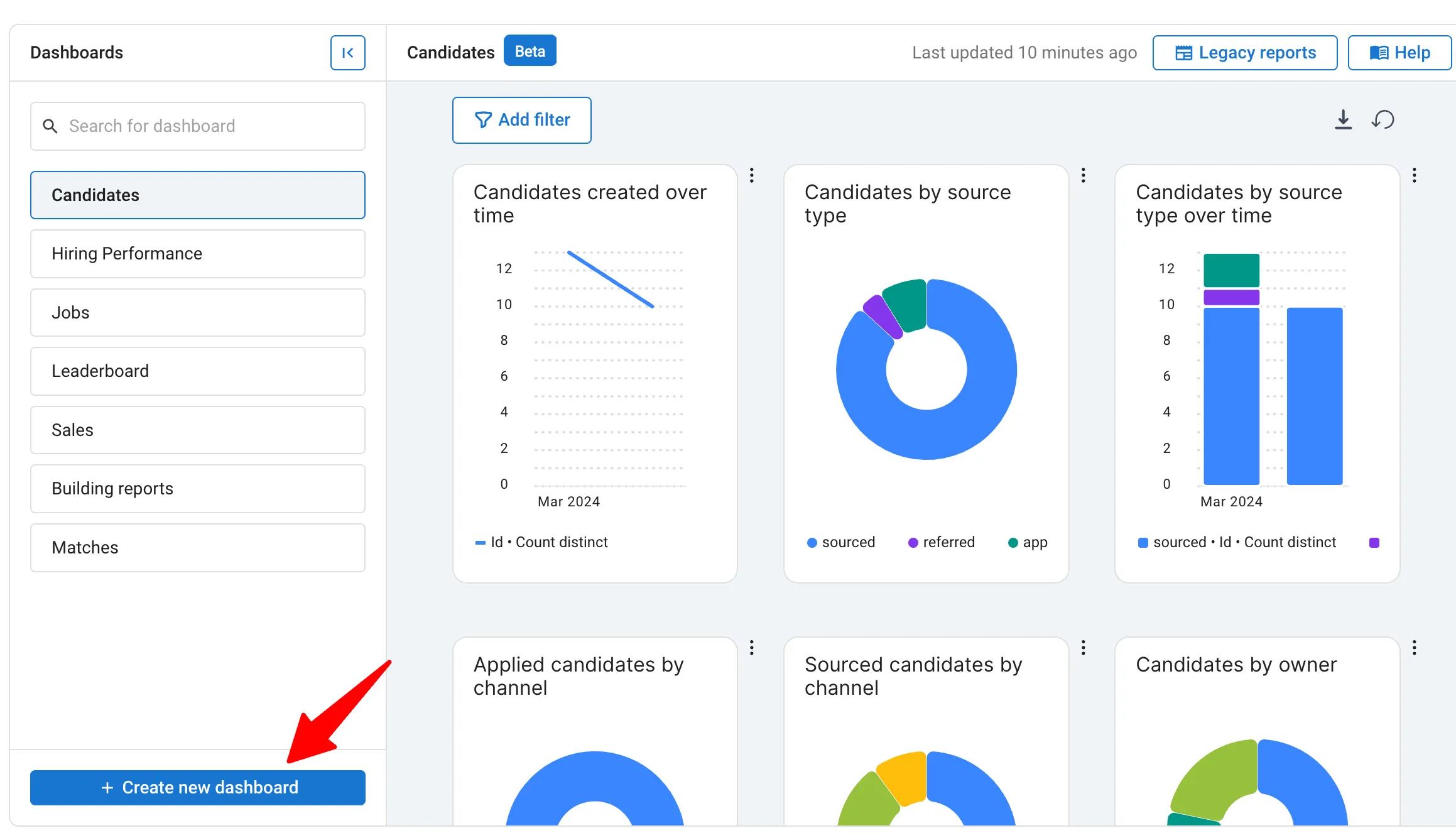
- Step 6: Add your destination URL. Link directly to your job posting on your career page, not to a general careers portal. Use UTM parameters in your URL (e.g., ?utm_source=facebook&utm_campaign=engineer_jan2025) to track traffic in Google Analytics. When using an applicant tracking system like Manatal, all candidates are tagged by source automatically, allowing you to measure Facebook's ROI against other channels without manual tracking. This data becomes invaluable for optimizing your recruitment budget allocation.
- Step 7: Review and publish. Facebook will review your ad (usually within 24 hours) to ensure it meets its policies. Job ads must comply with anti-discrimination laws, avoid targeting by age, gender, or other protected characteristics. Once approved, your ad goes live and reaches your specified audience.
- Step 8: Monitor and optimize. After 48 hours, evaluate the effectiveness of your advertisement. Examine applications received, click-through rate (CTR), and cost per click. Modify your image or copy and land in a single ATS dashboard if the CTR is less than 1%. You can track source efficacy, manage candidate pipelines, and measure ROI without needing to switch tabs.
Quantifiable Benefits of Facebook Job Advertising
Facebook job advertising yields measurable gains:
- Scale: Reach 3 billion users, excelling at passive candidates beyond LinkedIn/Indeed.
- Cost Efficiency: Organic posts to pages/groups are free. Paid ads start at $5 per day, with CPC often below job boards.
- Speed: Real-time applications arrive in minutes, versus days for SEO-dependent boards.
- Targeting precision: Pinpoint skills, interests, titles, behaviors, and demographics, e.g., "nursing enthusiasts within 15 miles of Seattle", curbing broad sprays.
- Centralization: ATS such as Manatal unify sources, streamlining management and tracking.
Conclusion
Facebook has evolved from a basic job board into a sophisticated recruitment channel. Success demands a marketing mindset: prioritize visuals, communities, targeted ads, and mobile optimization. The "Create Job" button is no longer available, yet 3 billion monthly users offer vast potential to convert scrolls into applications. Tools like Manatal streamline this with mobile career sites and seamless sharing.
Frequently Asked Questions
Q: How much does it cost to post a job ad on Facebook?
A: Organic posts to your company page and groups are free, while paid Facebook ads can start as low as $5 per day, with costs varying based on targeting and competition.
Q: What's the best way to post job ads on Facebook without paying?
A: Join relevant industry-specific Facebook Groups and share your job openings there, ensuring you engage authentically with the community rather than just spamming links.
Q: How do I target specific candidates with Facebook job ads?
A: Use Facebook Ads Manager to target by location, interests, behaviors, and demographics, for example, targeting "people interested in graphic design within 25 miles of Austin."
Q: Should I use my personal profile or company page to post jobs?
A: Always use your company page for official postings, but encourage employees to share the post from their personal profiles to increase reach and add social proof.
Q: Can I track which candidates came from Facebook?
A: Yes, when using an applicant tracking system like Manatal, all candidates are tagged by source automatically, allowing you to measure Facebook's ROI against other channels.
Citation:
.webp)







.webp)

.webp)


.webp)


