





According to SHRM's 2025 benchmarking data, the average cost per hire sits at $5,475 for non-executive roles [1], and Appcast's 2026 report found those costs rose sharply in 2025, even as the labor market softened [2]. SEO for recruiters is the strategy that breaks that cycle: instead of paying for every click, you build pages that attract candidates and clients organically, month after month, without an escalating ad bill.
SEO for Recruiters: Why they Need it
SEO for recruiters is the practice of optimizing your agency’s website, job postings, and career pages to rank higher in Google search results. It allows you to organically attract both active job seekers and potential clients, giving you maximum visibility without paying for every single impression.
- High-Intent Inbound Traffic: Candidates organically searching for specific roles show high intent, meaning every optimized job posting and blog post is an opportunity to acquire top talent at zero marginal cost.[1]
- Mobile-First Performance: With over 65% of job applications now completed on mobile devices, your recruitment site must perform flawlessly on phones to capture and convert traffic.[4]
- Dual-Audience Targeting (Agencies): Unlike traditional businesses, recruitment SEO must simultaneously serve two distinct groups: candidates searching for jobs and employers searching for staffing assistance, using tailored content on the same site.
A Step-by-Step SEO Guide for Recruiters
If you've never touched SEO before, follow these five steps in order.
Step 1: Find the Keywords Your Candidates Actually Search
Keywords are the exact words and phrases people type into Google. Your job is to find out what your candidates and clients are searching for, then make sure your pages match.
Here are four things you can do to find keywords:
- Open Google Keyword Planner (free with a Google Ads account): Type in a job title, for example, "marketing coordinator." The tool shows you how many people search that term each month and suggests related keywords.
- Use Google Autocomplete: Start typing a job title into Google and watch the dropdown. Those suggestions are real searches from real people. "Marketing coordinator jobs in Austin" tells you exactly what candidates in that market are typing.
- Check People Also Ask: Search your job title on Google and look for the "People Also Ask" box. Each question is a content opportunity.
- Try AlsoAsked.com (free): Enter a keyword, and it maps out every follow-up question people ask. You can also use this site to look for blog post ideas.
Long-tail keywords are your advantage as a recruiter. "Marketing coordinator jobs in Austin" has far less competition than "marketing jobs," and the person searching it is much closer to applying. Target specific role + location combinations for your best results.
Build a simple spreadsheet to prioritize: keyword, monthly search volume, competition level, and which page on your site should target it. Tools like Ubersuggest (free tier) can help you fill in the volume and difficulty data.
Step 2: Optimize Your Job Postings for Search
Most recruitment agencies post jobs with internal titles that no candidate would ever search.
Here's what to fix on every job posting:
- Job title: Use the exact title candidates search for. Check Google Keyword Planner if you're unsure which variation gets more traffic.
- Meta title: This is the clickable blue link in Google results. Keep it under 60 characters. Format: "[Job Title] – [City] | [Your Agency Name or Your Company Name]."
- Meta description: The two-line preview under the title. 155 characters max. Describe what makes the role worth clicking on.
- Page structure: Use a clear H1 (the job title), then H2s for sections like "Responsibilities," "Requirements," and "How to Apply."
- JobPosting schema markup: This is a snippet of structured data that tells Google your page is a job listing. When it's present, your posting becomes eligible for Google's enhanced job search results. You don't need to code it yourself. Yoast SEO and Rank Math (both free WordPress plugins) can add it automatically. Use Google's Rich Results Test to verify it's working.
Step 3: Build Your Agency's Content Around Candidate Questions
Every question a candidate asks you is a blog post waiting to rank. Each post targets one keyword, and over time, your blog becomes a magnet for organic traffic.
- Structure each post for search performance. Put the keyword in the title, mention it in the first paragraph, follow core SEO best practices across your content structure, and close with a clear conclusion.
- Remember the dual-audience opportunity. Some content targets candidates (interview tips, salary guides). Other content targets hiring managers ("How to Reduce Time-to-Hire" or "When to Partner With a Staffing Agency"). Both types build your site's authority.
- Use AnswerThePublic (free tier) to generate question-based keywords. Google Trends validates whether interest in a topic is rising or falling. Hemingway Editor keeps your writing clear and readable; aim for a Grade 8 reading level or lower. For teams drafting job descriptions with AI writing tools, it also helps to humanize AI output before publishing so copy reads naturally rather than feeling machine-generated.
Step 4: Set Up Local SEO So Nearby Clients Find You
If your agency serves a specific city or region, local SEO is your fastest win. When someone searches "staffing agency near me" or "recruiter in Dallas," Google shows a "Map Pack", three local business results featuring reviews, operating hours, and a phone number. That's where you want to be.
Here's how:
- Claim your Google Business Profile (free): Fill out every field, such as business name, address, phone, website, hours, services, and a business description that includes your city and specialties.
- Add location pages to your website: If you serve three cities, create a dedicated page for each one. Include local keywords, client testimonials from that market, and a clear call to action.
- Keep your Name, Address, Phone Number (NAP) consistent: Your NAP must be identical across your website, Google Business Profile, LinkedIn, Yelp, and every directory where your agency appears. Inconsistencies confuse Google and hurt your rankings. Moz Local or BrightLocal (paid) can audit and fix directory listings at scale.
- Ask for reviews: Google reviews directly influence your Map Pack ranking. After a successful placement, ask the client or candidate to leave a review.
Step 5: Fix Technical Basics That Block Your Rankings
You don't need to become a developer. But a few technical issues can quietly prevent Google from ranking your pages, no matter how good your content is.
- Mobile-friendliness. Over 65% of job applications come from mobile devices [4]. And 40% of mobile candidates abandon applications when they hit a site that isn't mobile-friendly [4]. Open your site on your phone. If it's hard to navigate, that's your top priority. Use Google's PageSpeed Insights to check your mobile score.
- Page speed. If your pages take longer than 3 seconds to load, candidates leave. Run your site through GTmetrix (free) for a detailed speed report with specific fix recommendations.
- HTTPS. Google flags non-HTTPS sites as "Not Secure," and candidates won't trust a site that carries that label.
- Broken links. Dead links frustrate users and waste Google's crawl budget. Screaming Frog (free for up to 500 URLs) crawls your site and lists every broken link, missing title tag, and duplicate page.
- Google Search Console. Set this up first if you haven't already. It's free, and it's your SEO dashboard, showing which keywords bring people to your site, which pages are indexed, and any errors Google finds when crawling your content.
5 Things You Can Do Today (Before Reading the Rest)
Not ready for the full playbook yet? These five actions take less than 30 minutes each and require no tools or accounts.
1. Google Your Own Agency Name and Fix What You See: Search your agency name right now. Is the address correct? Are the phone number and hours right? If you don't have a Google Business Profile, claim one. It takes a few minutes.
2. Rewrite Your 3 Most Important Job Titles: Pick your top three open roles. Replace any internal jargon with the titles candidates actually search. "Senior Software Engineer" not "Code Ninja Level III." "Account Manager" not "Client Happiness Lead."
3. Add Your City to Your Homepage Title: If your homepage title says "ABC Recruiting - Top Talent Solutions," change it to "ABC Recruiting - Chicago Staffing & Recruitment Agency." This sends an immediate local SEO signal to Google.
4. Test Your Site on Your Phone: Open your own website on your phone. Can you find an open role and start an application in under 60 seconds? If not, that's your number one priority.
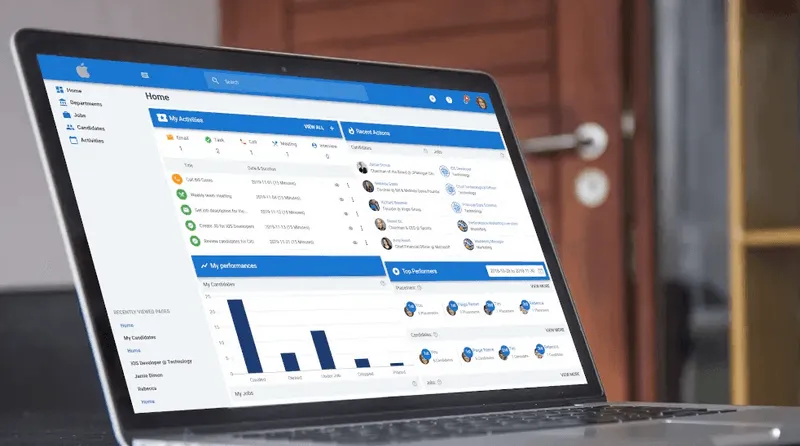
If all of this feels like a lot to manage alongside your actual recruiting work, you're not wrong. Tools like Manatal can take the technical weight off your plate. Its ATS includes SEO-optimized career pages, distributes your job postings across multiple boards automatically, and uses AI to match candidates to roles. That way, you can apply the strategy in this guide without becoming a full-time marketer.
{{cta}}
The Recruiter's SEO Toolkit (Quick-Reference Table)
How to Tell If Your SEO Is Working
SEO doesn't deliver results overnight. Here's a realistic timeline based on industry data:
Months 1–3: You're building the foundation. Set up Google Search Console, fix technical issues, optimize your top job postings, and publish your first blog posts. You won't see ranking changes yet, and that's normal.
Months 3–5: First measurable improvements appear. You'll start seeing your pages climb in search results and impressions increase in Google Search Console.
Months 5–7: Meaningful inbound traffic begins. Candidates and clients start finding your site through Google. You'll see form submissions, application starts, and contact requests that you can trace back to organic search.
Months 7–12: Growth accelerates. Your older content climbs higher as it earns backlinks and engagement. New posts rank faster because Google trusts your site more. This is where consistent publishing pays off. Each new page builds on the authority of everything before it.
Months 12–18: Full compounding effect. A UK recruitment agency, Intelligent People, saw their monthly impressions jump from 737,000 to 1.97 million over 12 months of consistent SEO work [6]. Their page-1 keywords grew from 300 to 314. The traffic kept growing even after they paused active optimization.
Track these four metrics in Google Search Console:
- Impressions: how often your pages appear in search results
- Clicks: how often people click through to your site
- Average position: where your pages rank for target keywords
- Click-through rate: the percentage of impressions that turn into clicks
Conclusion
SEO for recruiters is a compounding investment. Every optimized job posting, every blog post, every local page you publish adds to your organic visibility over time. Unlike sponsored job board slots, organic traffic doesn't disappear when you stop paying. Start with the five quick wins above, then work through the playbook step by step. Manatal's ATS builds SEO-optimized career pages for you, so you can start ranking without touching a line of code. Start your free trial today.
Frequently Asked Questions
Q: What is SEO in recruitment?
A: SEO in recruitment means optimizing your agency website, job postings, and career pages so they rank higher in search engine results. The goal is to attract candidates and clients organically, without paying for every click on a job board. It covers keyword research, on-page optimization, local SEO, and content creation.
Q: How long does SEO take to show results for recruiters?
A: Most recruitment sites see first ranking improvements within 3–5 months [9]. Meaningful inbound traffic from candidates and clients typically starts at 5–7 months. Full compounding impact, where organic traffic consistently generates leads, takes 12–18 months of consistent effort. Tools like Manatal speed up the process by generating SEO-optimized career pages from day one, so you start building organic visibility while you work on the rest of your strategy.
Q: Does SEO work for small recruitment agencies?
A: Yes. Small agencies often have an advantage in local SEO because they serve specific geographic markets. A well-optimized Google Business Profile and a handful of location-specific pages can put a small agency ahead of national competitors in local search results. Manatal's branded career page and multi-board job distribution also help small teams maximize visibility without needing a dedicated marketing person.
Q: What is the difference between SEO and paid ads for recruiting?
A: Paid ads (sponsored job posts, PPC campaigns) deliver immediate visibility but stop generating traffic the moment you stop paying. SEO takes longer to build but compounds over time. Your pages continue attracting candidates and clients months or years after you publish them. Most agencies benefit from both, but SEO reduces long-term dependency on paid channels.
Citations
.webp)







.webp)

.webp)


.webp)


