





Recruiters often feel like they are looking for a needle in a haystack. You have a job description, a vast internet, and limited time. Relying on basic keywords often returns thousands of irrelevant profiles. You need a way to speak the database's language. Boolean search recruiting fixes this. A recruiter who knows Boolean can take that same LinkedIn search from 40,000 results down to 200 qualified profiles in under five minutes. This guide on Boolean search recruiting will walk you through every operator, string, and tactic you need to cut search time and surface candidates who actually fit the role.
What is Boolean Search Recruiting?
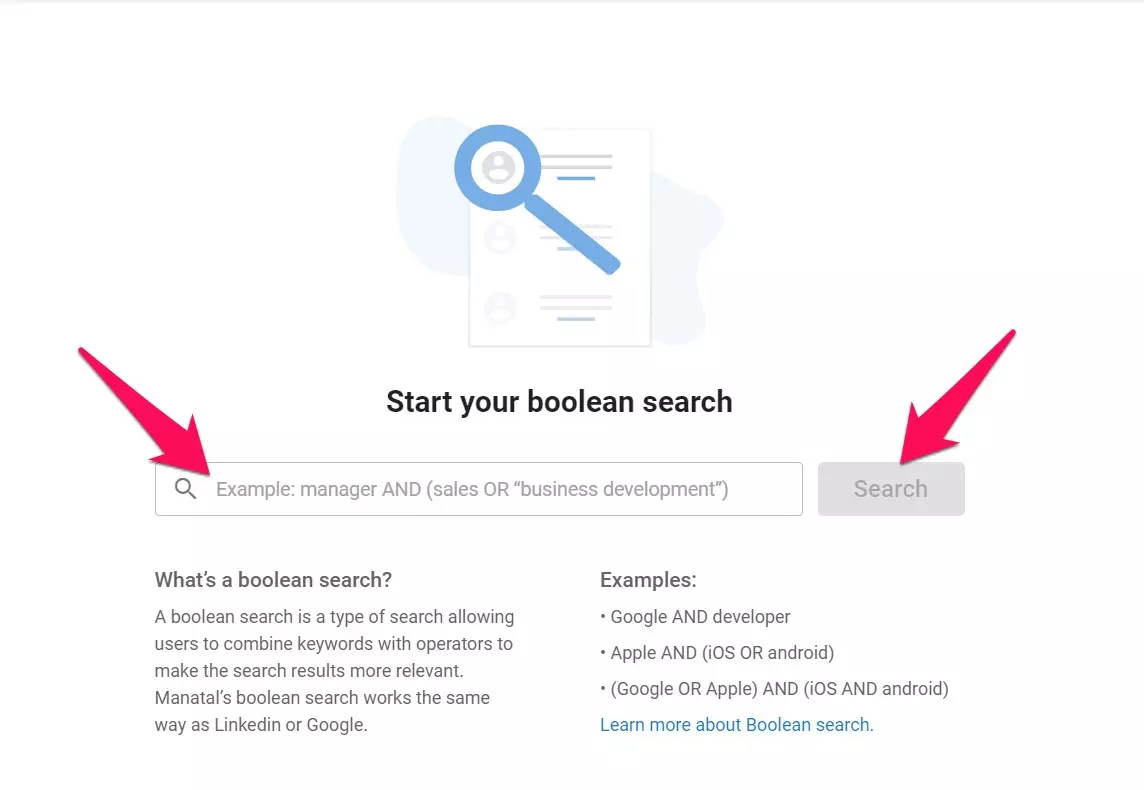
Boolean search recruiting is a method that uses logical operators (e.g., AND, OR, NOT) combined with keywords to filter candidate databases and return only the profiles that match your exact requirements, instead of scrolling through thousands of irrelevant results. This method transforms a generic search into a targeted headhunting mission. It works on LinkedIn, Google, GitHub, and almost every resume database.
{{cta}}
The Core Operators
You do not need to be a coder to master this. There are only five main operators you need to know:
- AND: Narrows your search.
- Usage:
Manager AND Sales - Result: Profiles must contain both words.
- Usage:
- OR: Broadens your search.
- Usage:
SaaS OR Software OR Tech - Result: Profiles can contain any of these words (vital for synonyms).
- Usage:
- NOT: Excludes unwanted results.
- Usage:
Engineer NOT Civil - Result: Profiles with "Engineer" but without "Civil."
- Usage:
- "" (Quotation Marks): Searches for an exact phrase.
- Usage:
"Project Manager" - Result: Profiles with that exact phrase, not just the separate words.
- Usage:
- () (Parentheses): Groups commands together.
- Usage:
(SaaS OR Software) AND Sales - Result: Tells the search engine to process the OR logic first, then apply the AND operator.
- Usage:
Step-by-Step: Constructing Your First String
The key to mastering Boolean search is to avoid over-complicating things from the start. A common mistake is trying to write a massive, complex string all at once, which often leads to syntax errors or zero results. Start with your most critical requirement and add layers one by one, checking the results as you go.
Step 1: Define the Must-Haves
Start with the primary job title. If you are looking for a top-level executive, your starting point is the core role.
- String:
CEO
Step 2: Add Synonyms (The OR Operator)
Candidates at the executive level use various titles. Some might list themselves as "Chief Executive Officer" while others use "Founder" or "Managing Director." Using OR ensures you capture all relevant leaders.
- String:
(CEO OR "Chief Executive Officer" OR "Founder")
Step 3: Define Location or Industry
To ensure the candidate has a tech background, include specific industry keywords. This filters out CEOs from unrelated sectors, such as retail or manufacturing. Narrow the field to your target geography. In this case, we are focusing on the US market to keep the search relevant to your regional needs.
- String:
(CEO OR "Chief Executive Officer") AND Tech AND "United States"
Step 4: Exclude the Noise (The NOT Operator)
Use NOT to filter out profiles that might clutter your results, such as "Assistant" roles or people currently in "Interim" or "Acting" positions, if you are looking for a permanent hire.
- String:
(CEO OR "Chief Executive Officer") AND Tech AND "United States" NOT Assistant NOT Interim
Step 5: Test and Refine
Run the search and look at the first few results. If they’re still too broad, add another specific "AND" requirement (like a framework). If the results are too few, remove a constraint to reopen the pool.
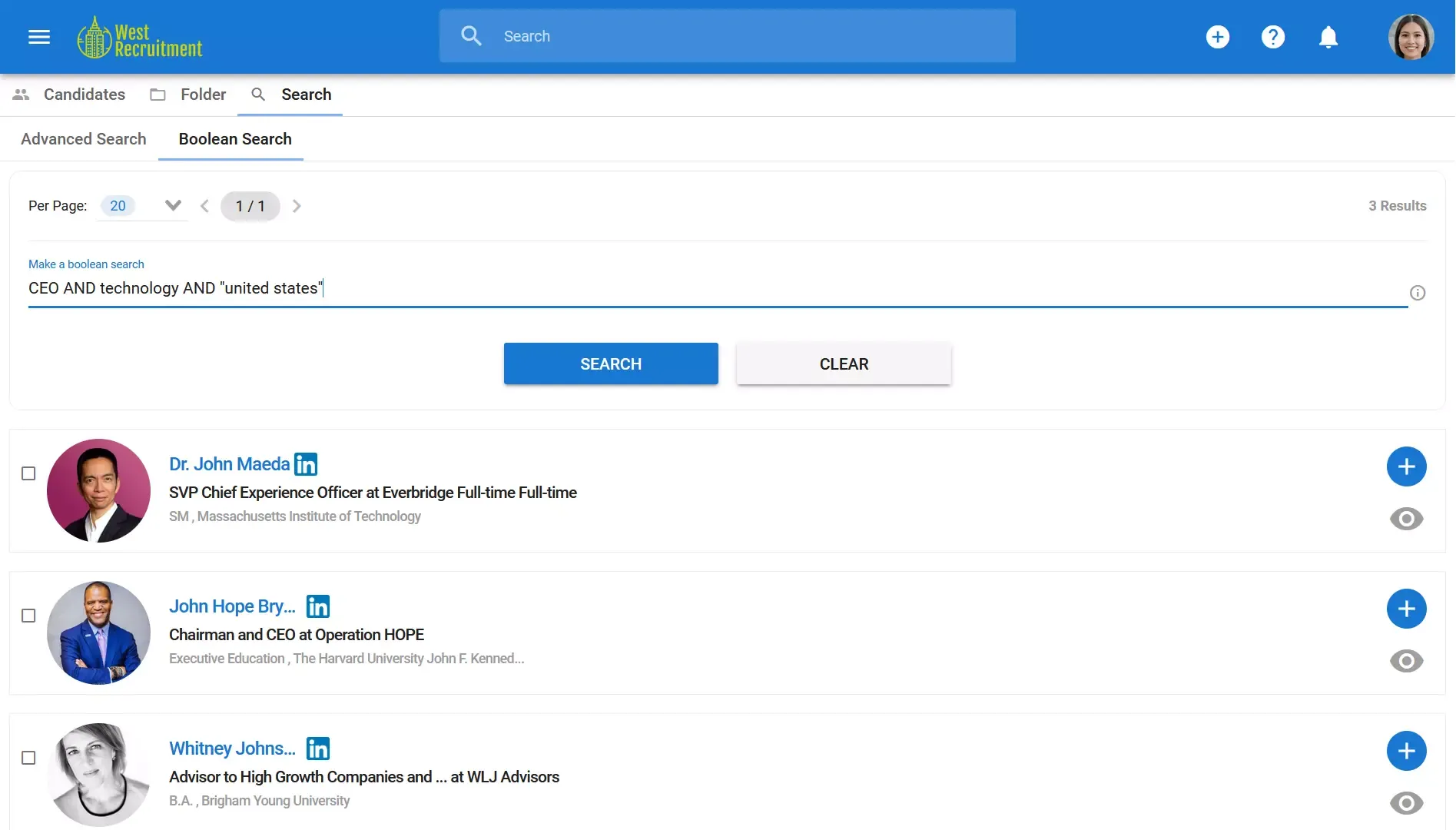
This process is about trial and error. It might take you ten minutes the first time you try it, but once you get the hang of the logic, you'll be building targeted strings in under two minutes.
Advanced Tactic: X-Ray Search
LinkedIn's native search is useful. It is also gated. You hit connection limits, InMail limits, and geographic restrictions. X-ray search gets around all of it.
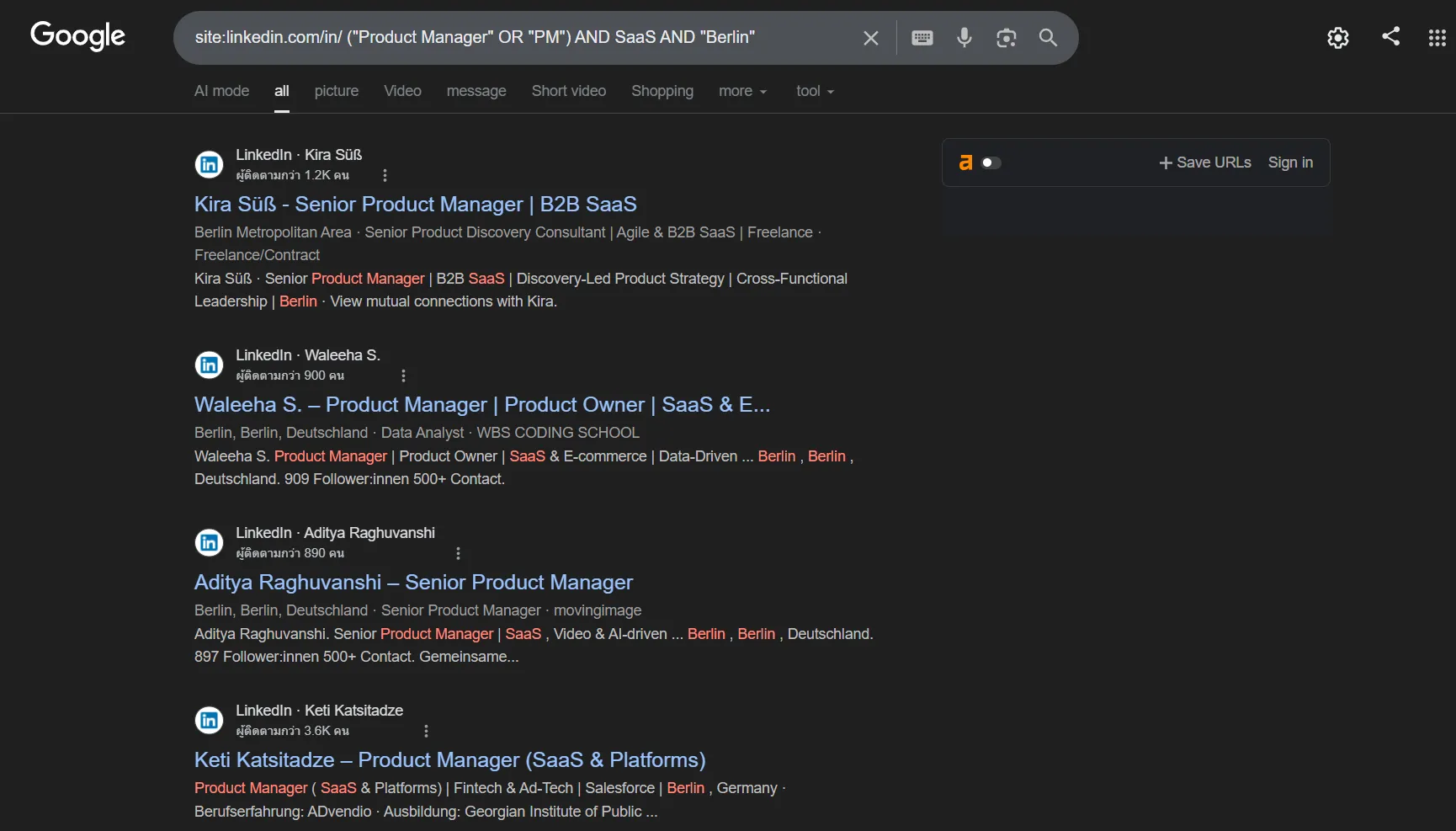
The formula is simple: site:linkedin.com/in/ [your Boolean string]
Here is a live example. Paste this into Google and watch what happens:
site:linkedin.com/in/ ("Product Manager" OR "PM") AND SaaS AND "Berlin"
Google returns LinkedIn profile pages that match your query, without requiring a LinkedIn Premium seat. You can view summaries and identify targets before committing to outreach.
The same logic works across platforms. To find developers who are actively looking for work, try:
site:github.com (Python OR JavaScript) AND "open to work"
Or on X (formerly Twitter):
site:twitter.com (Engineer OR Developer) AND "looking for opportunities" AND 2026
Passive candidates are everywhere. They are just not always where your ATS points you.
Ready-to-Use Boolean Strings by Role
Copy these directly into LinkedIn Recruiter, a resume database, or Google X-Ray search. Swap the skills and locations for your open roles. Save these in a shared doc. Label them by role. The first time you fill a recurring position using a saved string instead of rewriting from scratch, you will understand why this matters.
The Problem with Manual Boolean Strings
Boolean search is powerful, but it is also tedious. Writing complex strings takes time; a single missing parenthesis can break the entire search. Furthermore, search algorithms change frequently. You also face the "platform silo" problem; running the same string separately on LinkedIn, Google, and GitHub is slow and error-prone.
Modern recruitment technology has evolved beyond manual string construction. Manatal ATS eliminates the need to memorize complex operators through the following:
- AI Recommendations: Upload a job description, and the AI identifies core skills to build the search criteria for you.
.webp)
- Multi-Channel Search: Scans 20+ social media and public platforms simultaneously.
.webp)
- Candidate Enrichment: Automatically enriches profiles with contact details and social links.
Conclusion
Boolean search is a fundamental recruiter skill. It turns the internet into a structured database. However, relying solely on manual strings is becoming inefficient. The future of hiring lies in combining Boolean logic with AI's speed. By understanding the mechanics of search operators, you can verify the quality of your automated tools and step in manually when difficult roles require a human touch.
Frequently Asked Questions
Q: Which platforms support Boolean search recruiting?
A: LinkedIn Recruiter, Google, GitHub, and most resume databases support Boolean search recruiting. Manatal also supports Boolean search inside its ATS, alongside AI Advanced Search and semantic search, so recruiters can search their own candidate database more precisely instead of relying only on external sourcing. Manatal’s People-Match AI Chrome extension can also source public candidate data from platforms like LinkedIn and GitHub directly into Manatal.
Q: Does Boolean search recruiting require technical skills?
A: No. You only need a few core operators: AND, OR, NOT, quotation marks, and parentheses. In Manatal, those same Boolean keywords can be used inside candidate search, and the platform also layers in AI-powered semantic search and relevance scoring, which makes advanced sourcing more approachable for non-technical recruiters.
Q: What is the biggest mistake recruiters make with Boolean search recruiting?
A: Over-filtering too early. If you stack too many AND conditions at the start, you can easily get zero results and lose sight of which requirement is too restrictive. The better approach is to start broad, then tighten the search. Manatal’s AI Advanced Search and relevance scoring help with that workflow by surfacing stronger matches first, so you can narrow the pool more strategically.
Q: Will AI tools replace Boolean search recruiting?
A: Not entirely. AI sourcing tools are strong for scale and speed, but Boolean search still matters when you need to control the query, diagnose weak results, and refine edge cases. In Manatal, AI Recommendations can rank candidates from a job description, while Boolean search gives recruiters a manual way to tighten or repair the search when the AI output is too broad or off target.
.webp)








.webp)

.webp)


.webp)


