





Recruiters spend hours sourcing from scratch because past talent gets lost in scattered inboxes and spreadsheets. A centralized candidate database solves this by turning your past sourcing efforts into a reusable asset, allowing teams to store, search, and re-engage every applicant, referral, or sourced lead. This guide covers how to build, maintain, and choose the right software for your database to permanently streamline your hiring.
What Is a Candidate Database?
A candidate database is a centralized, searchable system that stores resumes, contact details, and hiring history in one place. Unlike spreadsheets or inboxes, it lets you easily filter and reuse talent profiles for any open role. While it often integrates with other recruiting software, it serves a distinct purpose.
Here is how it compares to other tools:
- Spreadsheets & Inboxes: Static and disorganized. They do not update automatically, quickly become outdated, and make searching by specific skills nearly impossible.
- Applicant Tracking System (ATS): The workflow tool. It moves candidates through specific active hiring stages, from the initial application to the final offer.
- Candidate Relationship Management (CRM): The engagement tool. It manages long-term communication with passive talent who are not ready to apply yet.
Spreadsheets vs. Databases vs. ATS
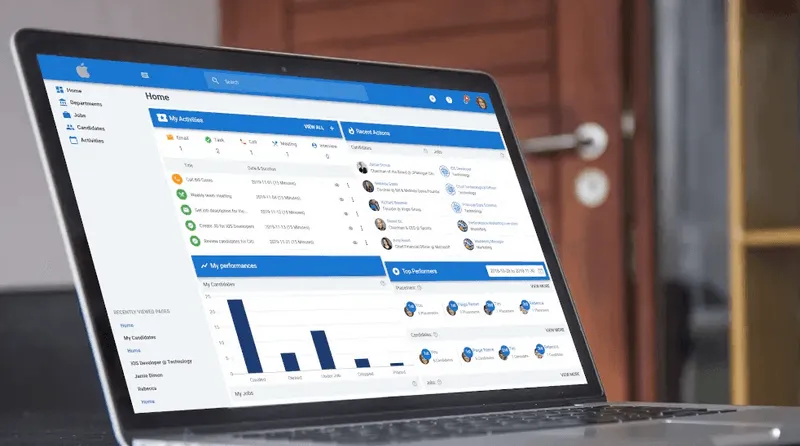
Many recruitment platforms, including Manatal, combine ATS and database functionality in one system. The differences show up mostly in search quality, enrichment depth, and how well the platform handles data at scale.
When Do You Need a Candidate Database?
Spreadsheets only work for low-volume hiring with fewer than 100 candidates and a single user. As hiring scales, manual tracking fails.
You need a dedicated candidate database when you experience the following challenges:
- Inefficient Search: You cannot quickly filter candidates by skill, experience, or location.
- Data Errors: Duplicate entries multiply when multiple recruiters update the same file.
- Lost Talent: Valuable past applicants become buried and forgotten in old rows.
- Compliance Risks: You cannot track data retention timelines or candidate consent.
Once you decide a database is the right move, the next question is how to build one.
How to Build a Candidate Database
Building a candidate database is a sequence of decisions that determine whether the database stays useful six months from now or turns into another dead archive.
1. Define your data schema.
Decide what fields are mandatory and what fields are optional before you add a single candidate. This keeps every recruiter entering data the same way as the database grows.
- List mandatory fields: full name, email, phone number, role applied for, and source channel.
- Add optional fields for context: portfolio links, certifications, salary expectations, and availability date.
- Write the field definitions in a shared doc so every recruiter uses the same format, for example, one date format and one way of writing job titles.
2. Import your existing data.
Pull in resumes, spreadsheets, and past ATS exports before you start sourcing new candidates. Clean the data first, since a messy import undermines search results from day one.
- Export past ATS records and old candidate spreadsheets into a single file.
- Run a deduplication pass and merge repeat entries by matching email address or LinkedIn URL.
- Flag and set aside incomplete records instead of importing them as-is.
- Standardize formatting, such as date formats, job titles, and location names, before uploading.
3. Set up sourcing channels that feed the database automatically.
Connect job boards, your careers page, LinkedIn, and referral programs directly to the database. This way, new candidates land in one place instead of a separate inbox.
- Turn on job board integrations so applications from Indeed, LinkedIn, and similar sites auto-populate the database.
- Install a browser extension, such as People-Match AI Chrome Extension, to add sourced candidates with one click while browsing profiles.
- Use an automation tool like Zapier to connect channels that do not sync natively.
- Set up a referral form that feeds submissions straight into the database instead of email.
4. Enrich profiles with social and professional data.
A name and a resume alone are not enough to judge fit. Enrichment tools pull in social profiles, skills, and work history automatically, so you are not researching each candidate by hand.
- Use AI candidate profile enrichment so profiles pull data from LinkedIn, GitHub, or portfolio sites as candidates are added.
- Use AI-powered search, such as Manatal's AI Advanced Search, to rank candidates by context and relevance instead of exact keyword matches.
- Spot-check enriched profiles for accuracy before using them to build a shortlist.
{{cta}}
5. Tag and segment candidates.
Group candidates by skill, seniority, location, and availability. This turns a static list into ready-to-use talent pools instead of a flat archive you search from scratch every time.
- Create a standard set of tags for skill, seniority level, location, and availability status.
- Build saved searches or smart lists for roles you hire for repeatedly.
- Update tags whenever a candidate's status changes, such as after an interview or a new role.
6. Establish data quality rules.
Set mandatory fields and duplicate detection rules from the start. This keeps the database reliable as it scales, instead of degrading as more people add candidates to it.
- Turn on automatic duplicate detection by email address or phone number.
- Require mandatory fields to be filled before a new candidate record can be saved.
- Assign someone to review flagged duplicates and incomplete profiles on a weekly basis.
Managing and Maintaining Your Database
Candidates change jobs, go quiet, or lose interest, and stale records make search results worse over time. A few practices keep the database reliable:
- Scheduled data hygiene: Run quarterly audits. Delete or archive inactive records. Remove old contact details and outdated job titles to keep search results accurate.
- Re-engagement campaigns: Contact candidates who made it to the final interview stages. They already know your company and pass screening faster than new leads.
- Candidate segmentation strategies: Group talent pools by job function and seniority level. This gives recruiters an instant shortlist for high-frequency roles.
- Collaboration: Log all interview notes and feedback in the central profile. This stops different hiring teams from duplicating outreach or losing candidate context.
- Compliance maintenance: Automate data deletion workflows and consent renewals. This ensures you meet GDPR rules when candidates ask to remove their data.
What Makes a Good Candidate Database: Evaluation Criteria
Not all database software is built the same. When evaluating a platform, look for:
- Searchability: Boolean search alone is no longer enough once a database grows past a few hundred candidates. AI-driven semantic search finds relevant candidates even when their resume does not use your exact keywords, ranking results by actual fit rather than keyword overlap alone.
- Integration depth: The database should connect to job boards, email, calendar tools, and your HRIS, so data flows in and out without manual entry. Every manual step is a place where records go stale or get duplicated.
- Candidate enrichment: Automatic pulls from LinkedIn, GitHub, or portfolio sites give you a fuller candidate picture without extra research time per candidate, which matters most when you are evaluating dozens of profiles for a single opening.
- Reporting and analytics: You need visibility into time-to-fill, source of hire, and pipeline health, not just a list of names. Without this, it is hard to tell whether the database is actually improving your hiring or just holding more data than before.
- Security and compliance certifications: Look for SOC 2 and GDPR compliance as a baseline, especially if you handle candidate data across regions with different data protection laws.
Conclusion
A candidate database only pays off if you can find the right person in it quickly. Building one is the first step. Keeping it clean, segmented, and searchable is what makes it useful a year from now, not just today.
Frequently Asked Questions
Q: How can a candidate database support diversity hiring?
A: A database reduces bias by letting you filter talent pools strictly by skills and experience instead of schools or past employers. Manatal helps by using AI-driven scoring to rank candidates purely on job requirements, ensuring an objective screening process.
Q: How do you re-engage candidates through a database?
A: Filter your database for past finalists who scored well but missed the hire. Group them into talent pools and send automated email campaigns when a new role opens. Manatal lets you easily categorize these runners-up and launch targeted email outreach in just a few clicks.
Q: What features should candidate database software have?
A: Look for advanced search filters, automated profile updates, job board integrations, pipeline reports, and built-in GDPR tools. Manatal provides all these essential features by combining AI-powered profile enrichment and strict data privacy compliance in one platform.
Citations
.webp)






.webp)

.webp)


.webp)


