





Email is where recruitment goes to die. Open rates for candidate outreach emails typically range from 20% to 45%, with many campaigns achieving higher rates through personalization. [1] Phone calls are worse. Candidates under 40 view an unscheduled call from an unknown number as a threat. WhatsApp has a 98% open rate; most messages are read within five minutes. [2] If your recruiting process still lives entirely inside an inbox, you are losing candidates to the recruiter who texts them first. This guide is for the hiring teams ready to fix that by using WhatsApp recruiting.
Do Companies Actually Use WhatsApp Recruiting?
High-volume recruiting industries in certain emerging markets, particularly retail in Latin America, adopted WhatsApp early. Brazilian recruiters have made WhatsApp their primary hiring tool because many candidates prefer mobile messaging over corporate email or unknown calls. [3]
Executive search recruiters are also increasingly testing informal channels like WhatsApp, as senior candidates often prefer less formal, direct messaging over traditional InMail.
Mid-market companies are increasingly incorporating WhatsApp as an additional touchpoint in the candidate journey, alongside email and other channels, in line with the growth of WhatsApp Business adoption [4].
The Benefits of Recruiting via WhatsApp
Speed defines the modern hiring cycle. WhatsApp eliminates the three-day delay between an interview invite and a confirmation.
- Speed compresses time-to-hire: A confirmation that used to take 48 hours via email now often happens within minutes on WhatsApp. [5]
- Global reach where SMS fails: International candidates with foreign SIM cards often don't receive SMS messages reliably. WhatsApp works over Wi-Fi and data and incurs no cost for candidates (free over Wi-Fi or data), while businesses pay per-message fees via the WhatsApp Business API. [6]
For recruiters who regularly use SMS as a candidate engagement channel, tools like Manatal's SMS feature allow recruiters to manage messaging directly within the platform, keeping full conversation history attached to the candidate profile rather than stored on a personal device.
{{cta}}
5 Best Practices for WhatsApp Recruiting
Get these wrong, and you will create exactly the candidate experience you were trying to avoid. Do not treat a candidate’s WhatsApp like a public forum. It is a private space.
1. Ask before you text.
Never send a cold WhatsApp to a candidate who did not give you explicit permission. GDPR compliance is real, but this is also a basic matter of respect. The correct sequence: reach out via email or LinkedIn first, confirm interest, then ask, "Would it be easier to communicate over WhatsApp for next steps?" Candidates who say yes are warmer. Candidates who say no just told you something useful.
2. Use WhatsApp Business. Not your personal number.
WhatsApp Business lets you set working hours, create automated away messages, and keep your personal conversations separate from a talent pipeline of 200 candidates. The moment a candidate can see your personal profile picture and status, you have blurred a line that should stay clear.
3. Keep messages short.
Three sentences maximum. If your WhatsApp message requires scrolling, it belongs in an email. "Hi [Name], your interview is confirmed for Tuesday at 2 pm GMT with [Interviewer Name]. The link is in your email. Reply here if anything changes."
4. Use voice notes for nuance.
A 30-second voice note explaining a complex compensation structure or role change lands better than a paragraph of text. It sounds like a person. It takes less cognitive effort to process. Use it when the information is layered, and a typed message will create more questions than it answers.
5. The Rejection Rule
Rejection via WhatsApp is inefficient and damages your employer's brand. If a candidate invested time in your process, they get a phone call or a formal email. The same applies to offer rescissions, deadline extensions, and major role changes. WhatsApp is for logistics. Consequential news needs a voice behind it.
Copy-Paste WhatsApp Templates for Recruiters
Use these as starting points. Change the name, adjust the timing, make them sound like you.
Template 1: The Opt-In Request (Send via email or LinkedIn before you ever WhatsApp someone.)
Hi [Name],
Thanks for your interest in the [Role] position. I'd love to keep things moving quickly. Would you be open to communicating over WhatsApp for scheduling and quick updates? It tends to be faster on both sides.
If you'd prefer email, no problem at all, just let me know.
[Your Name]
Template 2: The Interview Reminder (Send 1 hour before the interview)
Hi [Name], quick reminder that your interview with [Company] is in an hour, [Time, Timezone]. The video link is in your calendar invite. Reply here if you have any issues. Good luck.
Template 3: The Status Update (Use during longer hiring processes to prevent ghosting)
Hi [Name], Just a quick update, the team is still in the review stage, and we expect to have feedback by [Date]. Nothing needed from your side right now. I'll message you as soon as I have more.
The opt-in template is the most important one. It creates a paper trail. It confirms consent. And it immediately filters your candidate pool into people who are genuinely engaged versus people who applied and moved on.
The Risks: Compliance and Data Silos
Data silos create legal nightmares. GDPR and local privacy laws require you to track where candidate data lives. If it lives in an unmonitored chat on a recruiter's iPhone, you are non-compliant. Manual copy-pasting from a phone into a database is a waste of a recruiter's billable hours.
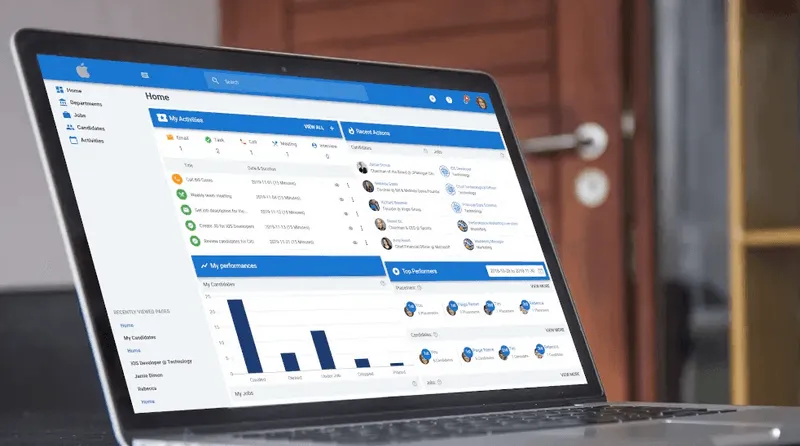
Modern ATS platforms built for this reality include SMS and messaging integration that pulls communication logs directly into the candidate profile. The recruiter still has the fast, conversational interaction on WhatsApp. The platform captures the data. When that recruiter leaves, the entire history stays inside the system, visible to their replacement on day one.
Conclusion
The era of waiting by the phone is over. Candidates don’t want a formal paper trail for every minor update, and you don’t have time to refresh your inbox every ten minutes. WhatsApp recruiting closes the distance between a "maybe" and a "hired." But speed without structure is a liability. Using personal phones for professional recruiting creates a mess of untracked data and legal risks your company shouldn't take on. If you aren't integrating your mobile conversations into a central system, you aren't scaling; you're just making more noise.
Frequently Asked Questions
Q: How do you get candidate consent before starting WhatsApp recruiting outreach?
A: Always initiate contact through email or LinkedIn first, confirm the candidate's interest in the role, then ask explicitly whether they are open to communicating via WhatsApp for next steps. This opt-in approach satisfies GDPR requirements and immediately signals which candidates are genuinely engaged in your process.
Q: What are the main benefits of recruiting via WhatsApp compared to email?
A: Recruiting via WhatsApp compresses response time from 48 hours to under 5 minutes, surfaces more honest candidate feedback through casual conversation, and reliably reaches international candidates where SMS fails entirely.
Q: What are the biggest risks of using WhatsApp for recruiting?
A: The biggest risk is data loss. When recruiters manage candidate pipelines on personal phones, all conversation history and relationship context leave with them when they resign. This also creates GDPR compliance exposure if candidate data cannot be audited, retained, or deleted on request.
Q: How should companies set up WhatsApp for recruiting without creating data silos?
A: Companies should integrate WhatsApp communication into a modern ATS that logs every candidate interaction in a central record. Tools like Manatal's SMS Recruiting feature allow recruiters to manage messaging directly within the platform, keeping full conversation history attached to the candidate profile rather than stored on a personal device.
Citations
.webp)






.webp)

.webp)


.webp)


