





An applicant tracking system centralizes candidate records, communications, and hiring stages. Going beyond mere software procurement, ATS implementation is the practical work of configuring the system, connecting integrations, migrating data, and ensuring daily team adoption. This guide gives in-house talent acquisition teams a concrete rollout plan. You will find a realistic timeline based on company size, a step-by-step execution process, and a data-migration workflow that protects your candidate history.
ATS Implementation Process Step by Step
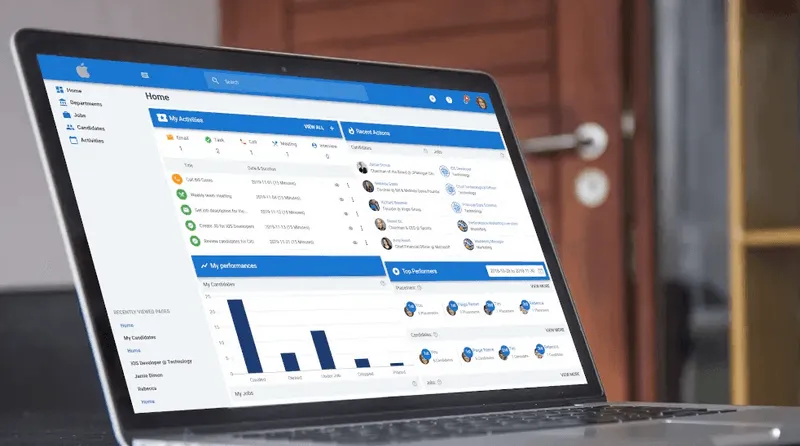
This ordered workflow covers the path from initial goal-setting to a monitored live launch. For illustrative purposes, this process outlines how to execute these steps directly within a modern tech stack centered on Manatal as your core ATS, alongside Gmail or Outlook for email synchronization and Indeed or LinkedIn for job board distribution.
1. Technical & Operational Preparation (Pre-Configuration)
Before opening the system admin panel, complete all data sanitization, workflow definitions, and credentials collection so you can immediately configure the platform without delays.
- Data Audit & Mapping: Clean existing candidate records by removing duplicates and expired files. Standardize department names, job titles, and custom tags so they directly correspond to Manatal's data fields.
- Role & Pipeline Standardization: Define user access levels (Admin, Recruiter, Hiring Manager) and map out the exact hiring stages for each department (e.g., Sourcing → Screening → Tech Assessment → Interview → Offer) to ensure uniform field creation.
- Integration Credential Gathering: Secure G Workspace/Microsoft 365 admin rights for OAuth email/calendar sync and gather company account access/API keys for Indeed and LinkedIn.
2. Configure the platform
Build out your infrastructure to match your process map.
- Custom Pipelines: Go to Administration > Jobs > Pipelines to create custom pipeline stages and drop-down fields that match your actual recruitment steps.
{{cta}}
- User Roles & Permissions: Navigate to Administration > Access Management > Users to invite your team and assign specific roles (e.g., Admin, Recruiter, Hiring Manager) to protect data access.
- Templates: Go to Administration > General > Email Templates to upload standard scorecards, offer letters, and automated email sequences.
3. Connect integrations
Sync your core communication tools, job distribution channels, and security layers.
- Email & Calendar Sync: Head to User Profile > Settings > Mailbox to connect your corporate Gmail or Outlook accounts via secure OAuth for full two-way sync.
- Job Board Channels: Go to Administration > Jobs > Job Boards to enable native multi-posting integrations for channels like Indeed and LinkedIn.

- SSO Config: Coordinate with IT to access Administration > Access Management > Single Sign-On (SSO) to secure your organization’s logins.
4. Migrate data carefully
Protect your candidate history by utilizing a strict clean-map-test-verify loop.
- Navigate to Administration > Data Management > Import to utilize Manatal's data import wizard. Upload a clean CSV or XLSX file containing your legacy data, use the tool to map old columns to your newly defined ATS schema fields, and run a small test first to verify the links before importing the full database.
5. Conduct role-based training
Run separate training sessions tailored to recruiters, hiring managers, and administrators. Provide quick-reference documentation and name a dedicated internal support contact.
6. Test the full funnel
Execute an end-to-end trial. Create a test job in Manatal, move a mock candidate profile through every pipeline stage, generate a test offer email, and verify the data flow. Fix any workflow gaps before opening the system to live roles.
7. Go live with a support window
Announce the hard launch date well in advance. Stay close to the team during the first few weeks to resolve user issues immediately.
8. Monitor and adjust
Track the success metrics established in Step 1. Utilize Manatal’s native Reports dashboard to review team activities, monitor time-in-stage metrics, and refine your workflows based on real usage data.
How Long Does ATS Implementation Take?
Company size and operational complexity are the primary drivers of the timeline. There is no single average time for ATS implementation because the scope scales with your team's requirements, as reflected in the HRM Guide data below.
Treat these ranges as typical benchmarks rather than absolute guarantees. Your actual timeline fluctuates based on your data volume, data cleanliness, total integration count, internal approval layers, and training scope.
Migrate Data Without Losing Candidate History
Protect your legacy records by using this systematic migration workflow:
- Export data: Pull records from your current platform or spreadsheets as clean CSV or XLSX files.
- Clean and deduplicate: Fix inconsistent formatting, remove corrupt entries, and merge duplicate candidate profiles before importing.
- Map fields: Match your legacy columns to the new ATS schema using a dedicated field-mapping sheet. Clearly define required versus optional fields so essential data does not import blank.
- Run a test import: Upload a small, representative sample of records. Verify the accuracy of the profiles, notes, and candidate-to-requisition links.
- Execute the full import: Upload the remaining database once the test sample checks out.
- Spot-check the results: Randomly audit a varied sample of live profiles to ensure full data integrity.
Tip: Retain your final field-mapping sheet. It serves as essential documentation if your team needs to audit data quality down the road.
Choosing an ATS That's Simple to Implement
Platforms built for simple implementations share distinct structural traits. When evaluating options, prioritize systems built around these criteria:
- Code-free configuration: Pipelines and permissions you can adjust without engineering support.
- Prebuilt integrations: Native connections for major job boards, HRIS systems, and standard email or calendar providers.
- Guided onboarding: Hands-on customer support during your critical setup weeks.
- An intuitive interface: Clean user experiences that naturally shorten team training times.
Manatal application tracking system offers code-free setup, customizable drag-and-drop pipelines, and a company careers page, with prebuilt integrations that don't require developer time. A team can configure and learn it without IT, which shortens the timeline and lifts adoption.
Conclusion
A successful ATS rollout relies on clear system ownership, clean data migration, role-based training, and measurable targets. When you select a platform designed for simple configuration, your timeline naturally stays on track. Map your internal processes, follow the ten core steps methodically, and protect your candidate history during data migration.
Ready to roll out an ATS your recruiters will actually use? Start for 14 days Freefree.
Frequently Asked Questions
Q: What questions should I ask an ATS vendor before implementing?
A: Ask questions that surface the real timeline and effort. A few that matter:
- How long does implementation take for a team our size?
- Which integrations are prebuilt, and which need custom work?
- Do you provide guided onboarding and a dedicated contact?
- How does data migration work, and how much of it falls on your team?
- What does configuration require, and can non-technical staff handle it?
- What support is available during and after go-live?
Q: How do I find the top ATS for simple implementation?
A: Finding the top ATS for simple implementation requires prioritizing platforms that offer code-free configuration and an intuitive user interface. Look for systems that include prebuilt integrations for job boards and email, allowing your HR team to set up the software without relying on heavy IT or developer support.
Q: What is the best ATS implementation timeline to ensure high adoption?
A: The best ATS implementation timeline balances speed with adequate testing and training. Rather than rushing to launch, a successful timeline allocates dedicated weeks for configuring the platform to your actual workflows, conducting role-based training, and providing a scheduled support window during the go-live phase.
Q: What are the most effective ATS implementation strategies to prevent project failure?
A: Effective ATS implementation strategies center around people and preparation. Key strategies include securing an executive sponsor early, assigning a clear project owner, thoroughly cleaning candidate data before migration, and running end-to-end funnel tests before opening the system to live requisitions.
.webp)







.webp)

.webp)


.webp)


