




Delays between interview rounds can make it harder to maintain candidate engagement, particularly when candidates are considering other opportunities. According to Gartner, 48% of candidates accepted their most recent job offer in Q4 2025, down from 54% in Q4 2024 and 85% in Q4 2023 [1]. This guide provides HR teams with an interview scheduling setup, automated invitations, and follow-ups using an ATS and compatible scheduling tools.
What Interview Scheduling Involves
In recruiting, interview scheduling is the work of matching candidate, interviewer, and panel availability to a single confirmed slot. It also covers everything after the booking, including confirmations, reminders, and rescheduling, up to the interview.
Most HR teams run one of three modes, often side by side:
- Recruiter-led scheduling runs on back-and-forth emails and works best for executive or one-off roles.
- Candidate self-scheduling sends a booking link that shows only pre-approved interviewer slots.
- Automated coordination can send stage-triggered invitations, while a connected scheduling tool may handle bookings, reminders, and rescheduling, depending on the integration.
Recruiter-led scheduling gives the most control but costs the most recruiter time per interview. The setup below combines candidate self-scheduling with stage-triggered email automation. Recruiters can then focus on exceptions, provided the connected tools support the required workflow.
How to Set Up Automated Interview Scheduling in an ATS
Automated interview scheduling connects your applicant tracking system (ATS), interviewer calendars, and scheduling tool to reduce the back-and-forth involved in arranging interviews. When a candidate reaches a configured interview stage, the ATS can send an invitation containing a booking link. The candidate selects an available slot, receives a confirmation, and gets reminders before the meeting.
A reliable setup also accounts for candidates who do not book, interviewers whose availability changes, and panel interviews that require aligning multiple calendars.
A practical starter stack includes:
- ATS such as Manatal: Manage candidate pipelines, automate stage-based emails, and track interview activities.
- Google Calendar or Microsoft Outlook: Maintain interviewer availability and manage scheduled events.
- Calendly: Provide booking links, availability rules, and scheduling notifications.
- Zapier: Connect Manatal with external applications when the required workflow is supported and API access is available.
- Google Meet or Microsoft Teams: Host online interviews and include meeting links in invitations.
Step 1: Define Interview Stages and Availability Rules
Create a separate pipeline stage for each interview round, such as the phone screen, hiring manager interview, and panel interview. Each stage should have a clear purpose, an assigned owner, and a corresponding scheduling process. Ask interviewers to maintain their calendars and establish recurring booking windows. For example, a team might reserve Tuesday through Thursday mornings for first-round interviews while keeping afternoons available for other meetings. Choose windows that reflect the team's actual working patterns and hiring volume.
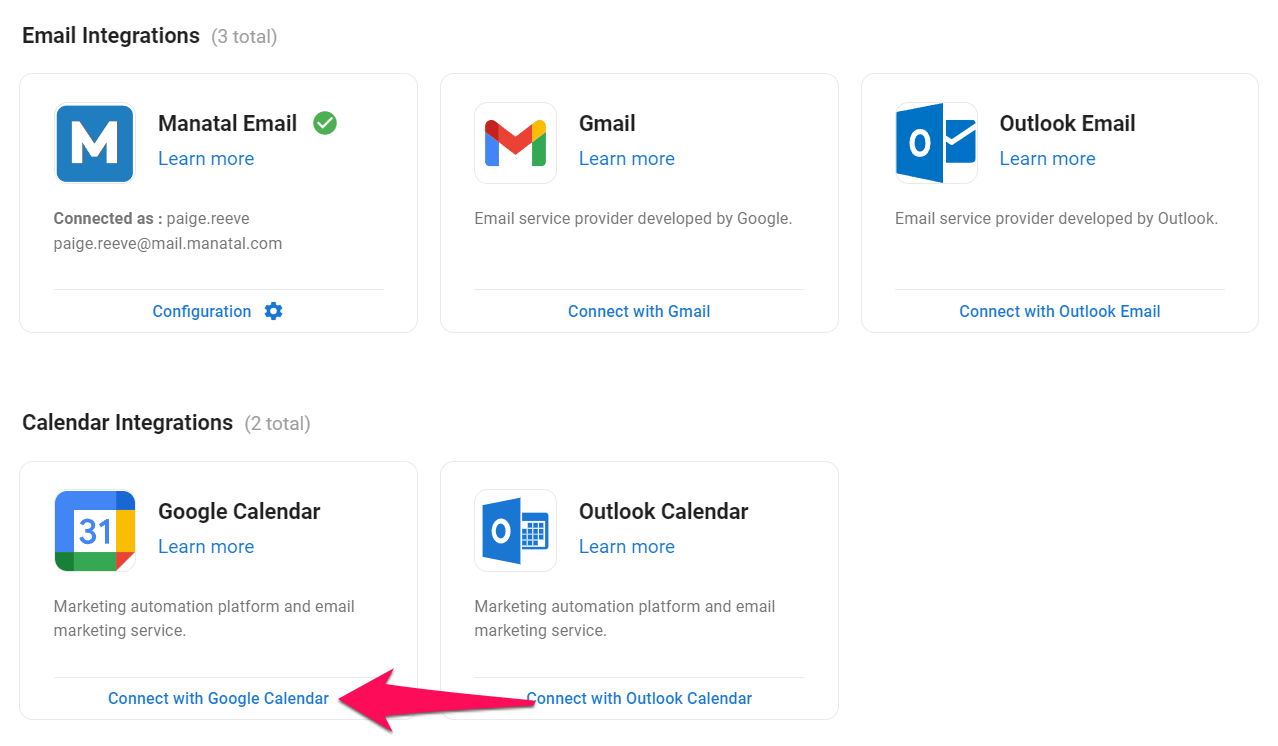
How to do it with Manatal: Create the relevant interview stages in your recruitment pipeline. Connect Google Calendar, Outlook Live, or Microsoft 365 to synchronize activities, then configure candidate self-scheduling separately in a compatible scheduling tool. Verify that the scheduling tool checks the calendars of all required interviewers before displaying available slots.
{{cta}}
Step 2: Configure Booking Rules and Invitations
Create a separate event type for each interview round. Set the duration, host, available hours, minimum scheduling notice, booking window, and buffer time. Configure the meeting location and prepare an interview invitation email template with the job title, interview round, interviewer details, preparation instructions, and time zone. For example, a 30-minute screening call might use a 15-minute buffer after the meeting, while a panel interview may require a longer session and additional coordination. These settings should reflect the interview format rather than follow one rule across every round. Include the candidate's local time where practical, and verify that the booking page and calendar invitation display the same appointment time.
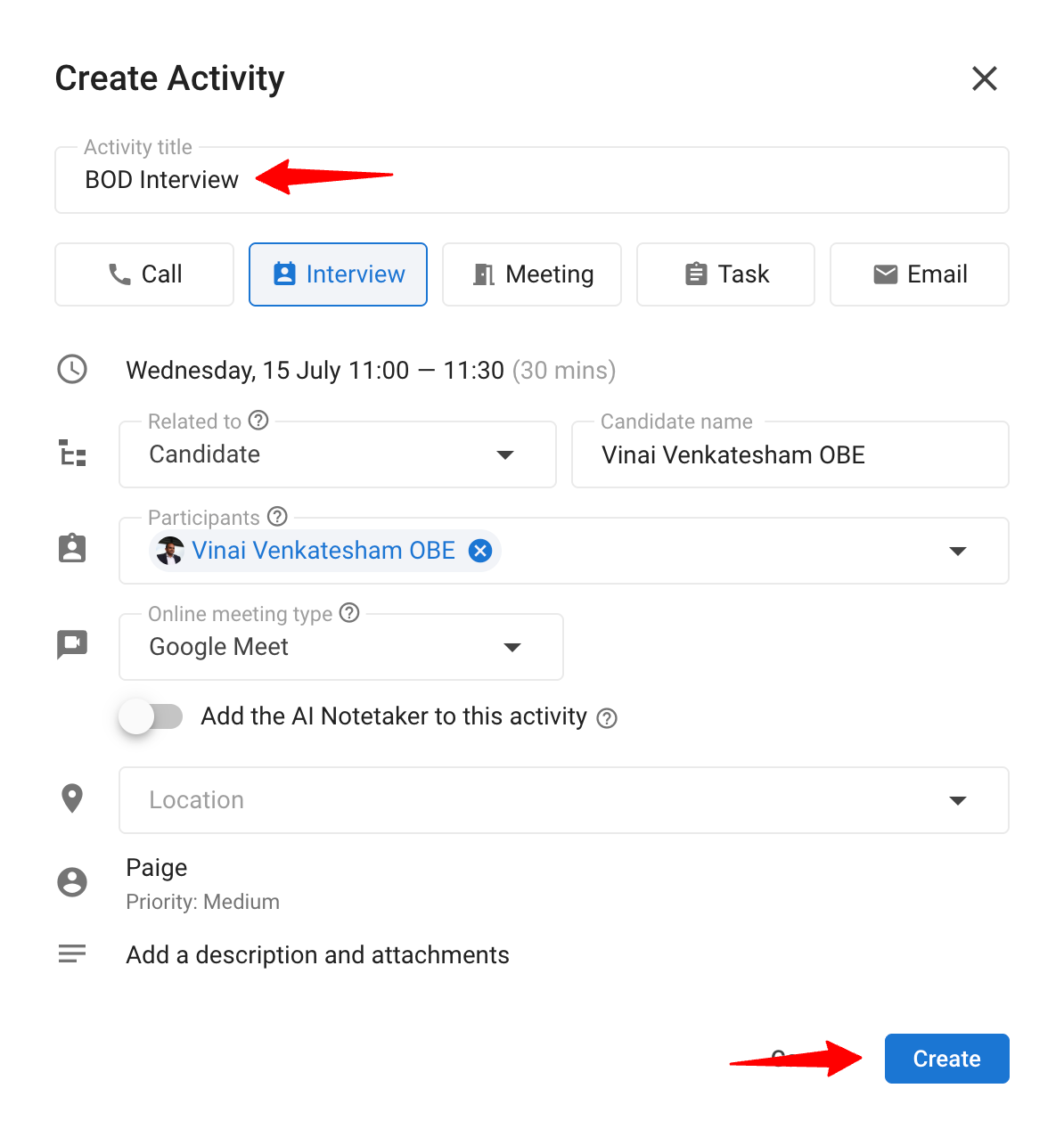
How to do it with Manatal: Create an email template containing the interview details and the appropriate booking link. Use the template in Workflow Automation to send stage-specific invitations. Manatal also supports creating candidate-related activities, inviting participants, and adding a Google Meet or Microsoft Teams URL when the relevant accounts are integrated.
Step 3: Automate Invitations and Reminders
Configure the workflow so that moving a candidate into the relevant interview stage triggers an invitation containing the correct booking link. The scheduling tool should then handle booking confirmations, calendar invitations, and timed reminders where those features are available. For example, you could send reminders 24 hours and one hour before the interview. Use a test candidate to verify the complete sequence before activating the workflow for real applicants. Check that the correct event type is linked to each interview stage, that the candidate receives only the intended invitation, and that the booked event includes the correct interviewer and meeting details.
How to do it with Manatal: Open the Workflow Automation settings and configure an email action for the appropriate interview-stage trigger. Select the relevant email template and include the scheduling link. Use Manatal's connected email account where supported. Configure booking confirmations and timed reminders in your scheduling tool.
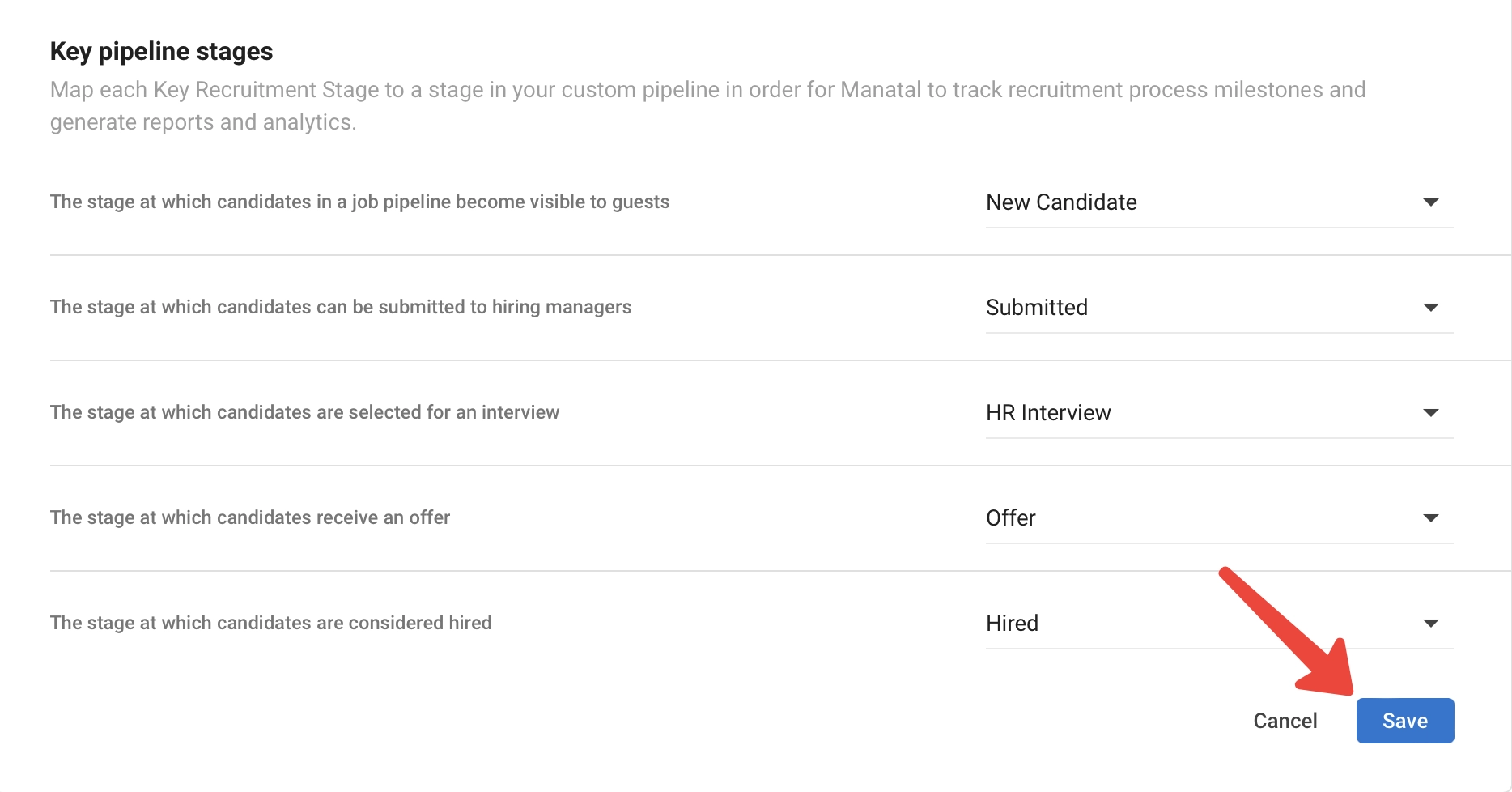
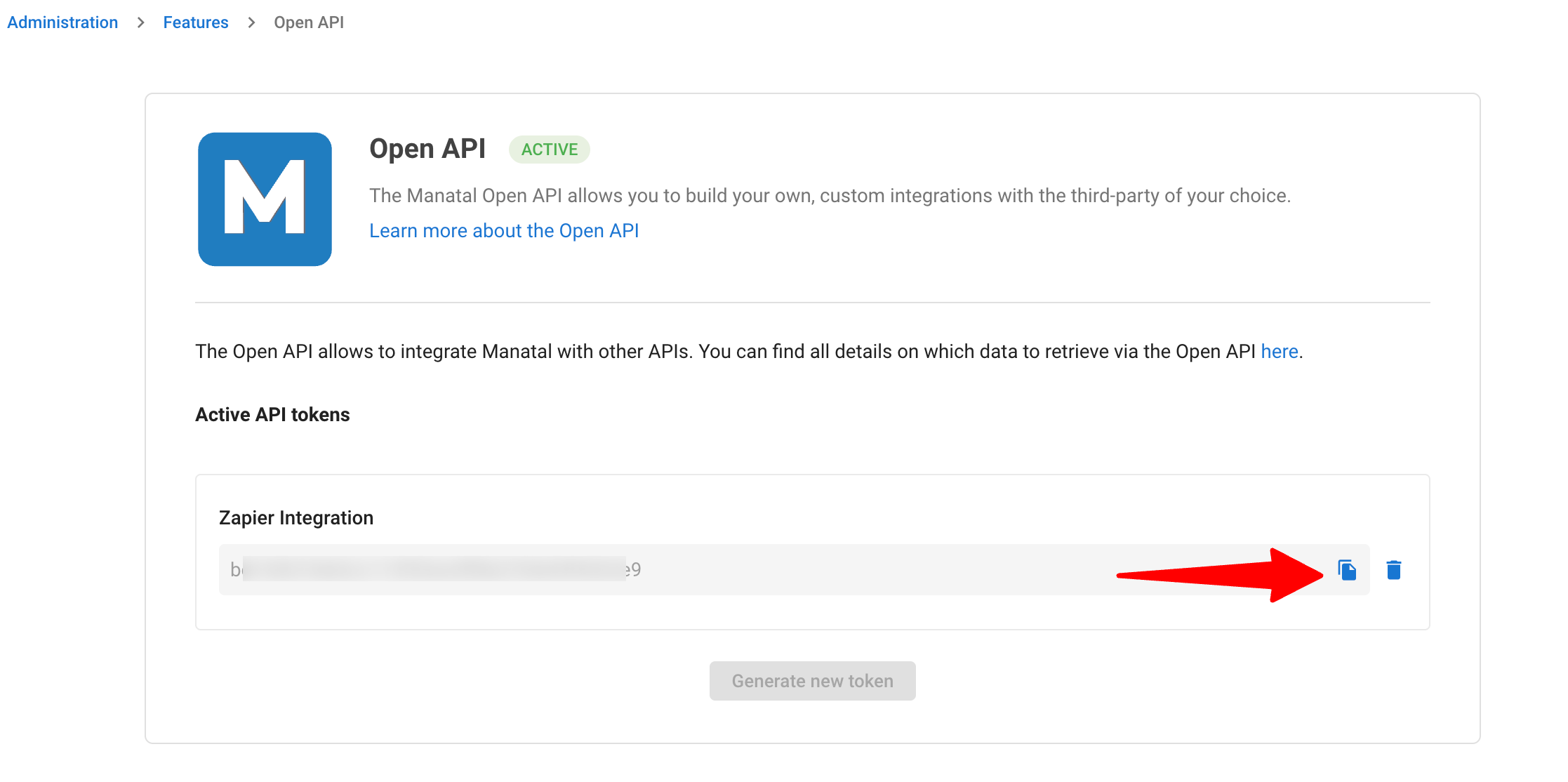
Manatal documents stage-based email automation for interview scheduling. Availability depends on the plan, and Zapier workflows require Open API access. Confirm the exact trigger, action, and integration permissions available to your account before relying on a fully automated handoff.
Step 4: Manage Rescheduling and Unbooked Candidates
Decide what happens when a candidate does not book, cancels, or needs to change the appointment. Provide a rescheduling link where supported, define when a recruiter should follow up, and specify who owns unresolved scheduling issues. Separate a booking failure from a candidate withdrawal.
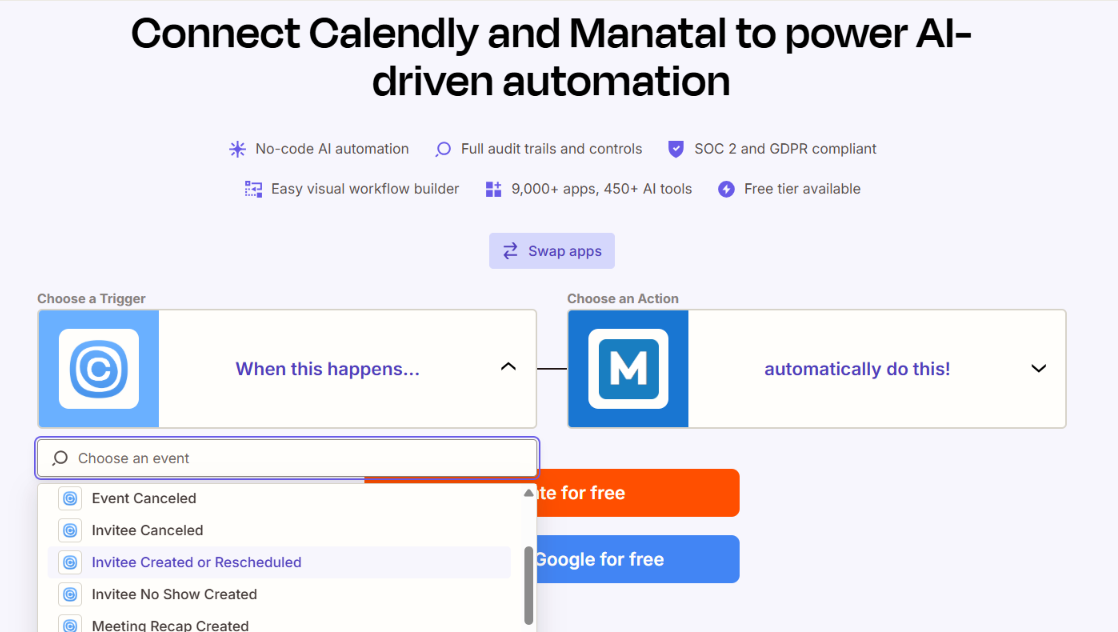
How to do it with Manatal: You can connect Manatal to Calendly via Zapier to automatically send Calendly links to tagged candidates in Manatal who have not clicked or booked within 48 hours. This triggers an automated 'Need help scheduling?' email before the candidate goes cold.
Step 5: Use Mass Email to Reach Candidates at Scale
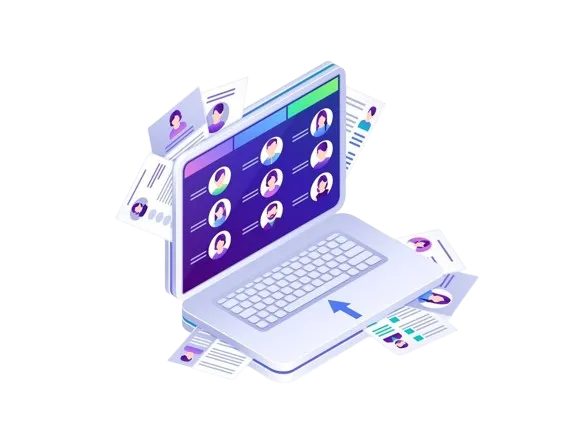
For high-volume recruitment, such as hiring entry-level assistants or junior employees, mass email helps recruiters communicate efficiently with multiple candidates. Use it to share interview invitations, explain the next steps, or follow up with candidates who meet the initial screening criteria. Segment recipients by job, recruitment stage, or relevant qualifications to keep messages targeted and useful.
How to do it with Manatal: Use Manatal's Mass Email feature to select multiple candidates and send a consistent message in a few clicks. Prepare an email template that includes the relevant job details, interview instructions, and a booking link. Before sending, review the recipient list to ensure that the message is appropriate for each candidate's recruitment stage.

Best Time to Schedule an Interview
Tuesday through Thursday is generally a good starting point for scheduling interviews, according to Indeed's Career Guide, updated June 2026. Indeed identifies 10–11 a.m. and 2–4 p.m. as potentially suitable time slots and notes that Friday may be less ideal. [2] These are general recommendations, so recruiters should also consider interviewer availability, candidate preferences, and the role's requirements.
When opening interview slots, recruiters should also consider the following:
- Prioritize interviewer availability: Offer times when interviewers can focus on the conversation without conflicting meetings or urgent commitments.
- Coordinate panel interviews carefully: Schedule multiple interview rounds on the same day when practical, while allowing sufficient breaks between sessions.
- Account for time zones: For remote interviews, choose times that overlap with the participants' normal working hours whenever possible.
- Avoid unnecessary scheduling delays: Offer the earliest suitable slot available rather than holding out for a preferred day or time. A target of two to five business days can serve as an internal scheduling guideline, depending on interviewer availability and hiring urgency.
If your scheduling system supports a configurable booking window, set it according to your team's availability and hiring needs. Verify the system's specific settings before claiming that a five-business-day horizon automatically restricts candidates to near-term slots.
Interview Scheduling Software: Which Type Fits Your Team?
Interview scheduling software generally falls into three categories, based on how much coordination a team needs:
- Calendar link tools often suit solo recruiters and teams with straightforward, low-volume scheduling needs.
- ATS-native scheduling and automation suit teams that want interview activities, candidate communications, and pipeline stages connected within a single workflow.
- Dedicated interview coordination platforms are worth considering when teams regularly manage multi-interviewer panels, sequential interviews, or scheduling across time zones.
The right choice depends on the complexity of your interview process, not just the size of your team. If recruiters frequently coordinate availability across several interviewers or handle repeated rescheduling, compare tools that automate availability checks and interview coordination rather than relying on calendar links alone.
How To Write an Interview Scheduling Email
Writing an interview scheduling email sets the tone for your professionalism and interest in the candidate. Here’s a step-by-step guide on how to write an effective interview scheduling email:
- Subject Line: Your subject line should be concise and clearly express the purpose of the email. For example, "Interview Request: [Your Name] – [Job Title]".
- Greeting: Start the email with a professional greeting, preferably addressing the recipient by their name.
- Introduction: Briefly introduce yourself and mention the position you’ve applied for or the reason for the interview request.
- Availability: Provide a list of potential dates and times you’re available for the interview. Clearly state the time zone to avoid any scheduling confusion.
- Confirmation: Politely ask the recipient to confirm the interview time and provide contact information in case they need to reach you for further details.
- Thank You: Express your gratitude for the opportunity to interview and thank the recipient for their time and consideration.
Interview Scheduling Email Template
Use this template as the stage-triggered email from step 5. Replace the bracketed fields, or map them to your ATS merge fields.
Hi [Candidate First Name],
Thank you for your interest in the [Job Title] position at [Company]. We'd like to invite you to the [Interview Round, e.g., Hiring Manager Interview].
Book your interview: [Booking Link]
Duration: [45 minutes]
Format: [Video interview / Phone interview / In person]
Interviewer: [Interviewer Name], [Interviewer Title]
Time zone: [Time Zone, if applicable]
To prepare: [Materials to review or bring, such as a portfolio or case brief].
Please use the booking link to select a suitable time. You'll receive a confirmation once your appointment is booked, if confirmation emails are enabled in the scheduling system.
If you need help booking or require an alternative arrangement, reply to this email, and I'll be happy to assist.
Best regards,
[Recruiter Name]
[Recruiter Title], [Company]
[Direct Email or Phone]
If an AI assistant books on your behalf, add one line saying so and keep the recruiter's name as the reply contact. For video-first rounds, adapt Manatal's schedule a video interview email template.
Conclusion
In conclusion, efficient interview scheduling is crucial for a smooth hiring process and positive candidate experience. Tools like Manatal and Calendly, along with effective communication practices, can greatly help achieve this goal. By automating and streamlining the interview scheduling process, recruiters can focus more on selecting the right candidate for the job.
Build it in Manatal's 14-day free trial: Start for Free
Frequently Asked Questions
Q: Which features should I look for in the best interview scheduling tools in 2026?
A: Look for calendar synchronization (Google Calendar, Outlook), candidate self-scheduling, time-zone handling, configurable availability, and buffer times to prevent back-to-back interviews. Ensure it offers automated confirmations, instant reminders via email/SMS, rescheduling options, and seamless integration with your applicant tracking system, or choose an ATS like Manatal that has calendar sync out of the box.
Q: What should an interview invitation email include?
A: An effective interview invitation email includes a polite greeting, specifies the position and interview details such as date, time, time zone, and format, provides the interviewer's name and role, lists any preparation materials, and encourages confirmation or rescheduling requests. It should close with polite regards and contact information for further questions.
Q: What are the typical pricing models for interview scheduling software?
A: Interview scheduling software utilizes various pricing models to meet diverse business needs. These models include subscription-based pricing, which involves regular fees for scalable features; tiered pricing, offering different packages to suit varying budgets and requirements; pay-per-use pricing, where costs depend on usage; and freemium models that provide basic services for free, with options for paid upgrades. These strategies help businesses of all sizes efficiently manage interview processes and control expenses.
Q: What mistakes commonly frustrate candidates during scheduling?
A: Candidates often face frustration in the scheduling process due to several issues: unclear communication from employers, scheduling conflicts from overlooked time zones or commitments, lack of timely follow-up leading to uncertainty, and technical issues with scheduling platforms. These problems can negatively impact the candidate's perception of the company.
Q: Which metrics measure interview scheduling efficiency?
A: Track time from interview-stage entry to invitation, time from invitation to booking, time from booking to interview, candidate rescheduling and cancellation rates, scheduling-related no-shows, and the percentage of invitations that remain unbooked. Using a centralized ATS like Manatal makes it easier to track these operational metrics through consolidated recruitment analytics dashboards. Segment your results by role, interview stage, or hiring team to identify bottlenecks. (Note: Interview-to-offer ratio is a broader hiring metric, not a direct measure of scheduling efficiency.)
Citation
.webp)






.webp)

.webp)


.webp)


