





Time-to-fill jumped from 33 days to 44 days in three years. That's a 33% increase, and it's not slowing down. [1] Candidate relationship management (CRM) directly tackles this crisis because it builds pre-warmed pipelines of engaged talent so recruiters never start a search from scratch. This guide shows talent acquisition teams exactly how to execute proactive sourcing strategies, select the right software, and slash your time-to-fill metrics.
What Is Candidate Relationship Management
Candidate Relationship Management (CRM) is a strategic approach focused on proactively engaging potential candidates to build and nurture a strong talent pipeline before a specific job opening arises. In recruitment, the term "CRM" carries two distinct meanings.
- Client relationship management (Client CRM): manages business development, client accounts, and sales pipelines.
- Candidate relationship management: focuses on candidate engagement, pre-qualified past applicants, and passive prospects.
While dedicated CRM software often targets client management at the product feature level, modern Applicant Tracking Systems (ATS) now bridge this gap. Beyond tracking active applicants, a robust ATS incorporates native CRM features, allowing recruiters to engage, nurture, and maintain long-term candidate relationships seamlessly within a single platform.
{{cta}}
Choosing Candidate Relationship Management Software
Selecting the wrong tool creates administrative headaches. Evaluate candidate relationship management solutions using specific functional criteria.
- Must-Have Features: Look for tools that offer talent pool management, email and SMS campaign builders, and pipeline analytics.
- Nice-to-Have Features: Advanced platforms offer AI candidate matching to automatically grade profile relevance, along with automated social profile enrichment.
- Integration Requirements: Ensure the software syncs cleanly with your core HRIS systems, and external job boards.
Candidate Relationship Management Implementation
Deploying a candidate relationship management system requires immediate operational changes. Execute these four actionable steps to launch your strategy with a clean dataset and a clear measurement plan.
1.Segment Your Existing Database
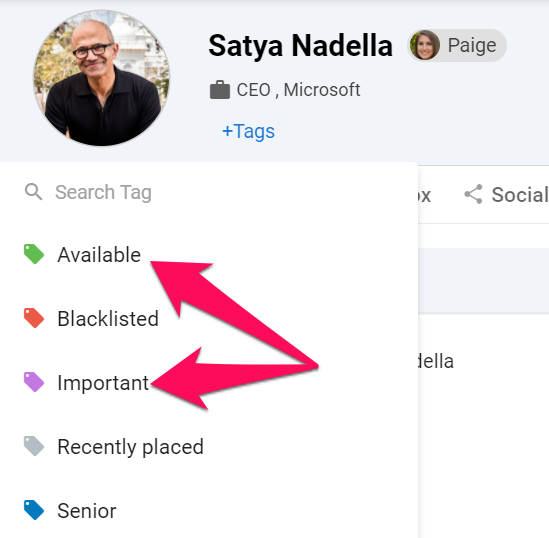
Remove outdated contacts, bouncing emails, and incomplete profiles from your records to maintain data hygiene. Divide your remaining talent pool into distinct operational segments using Manatal’s Candidate Tags feature to categorize and organize candidates.
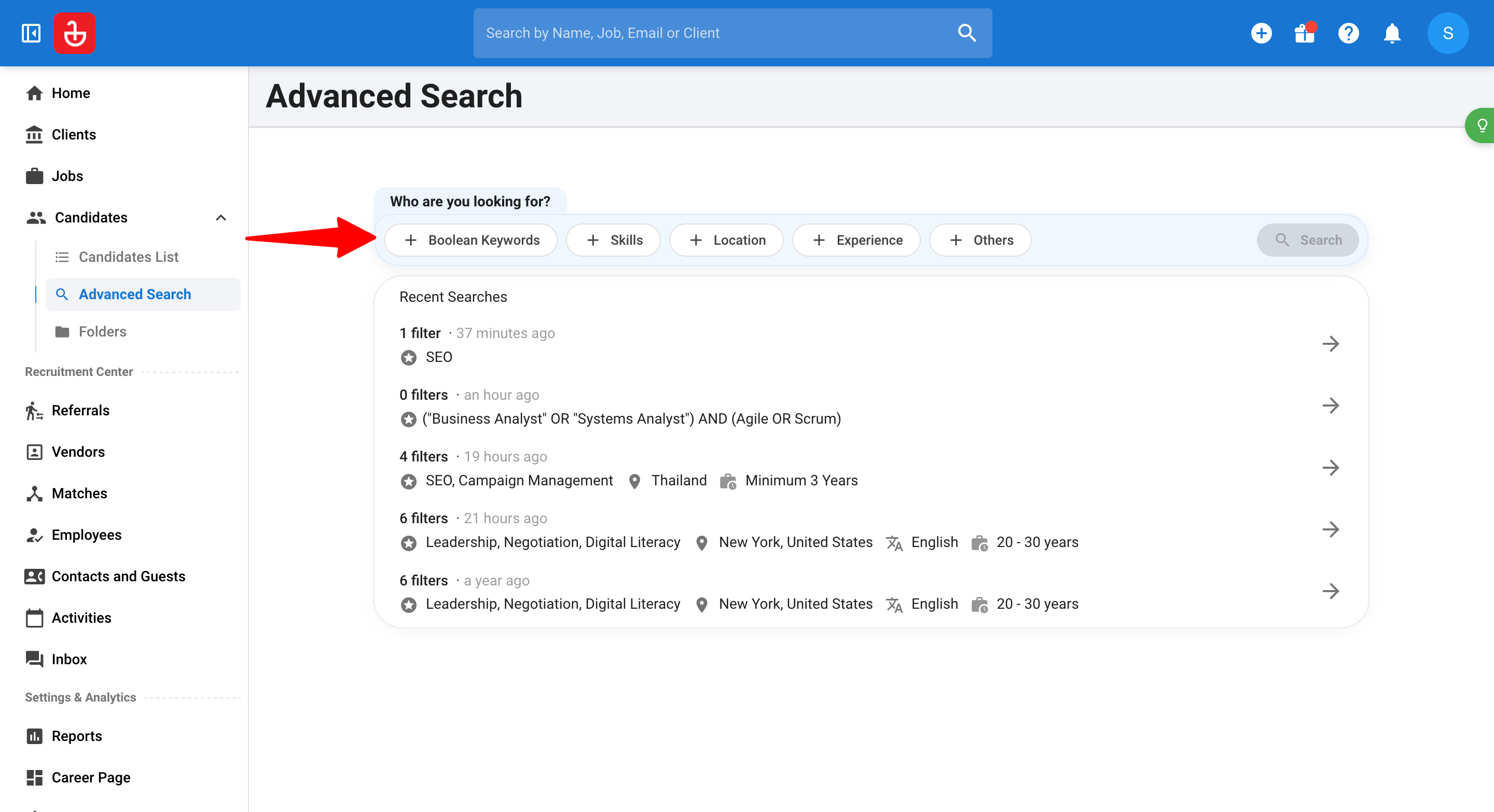
You can then leverage the Advanced Search tool to instantly isolate specific groups, such as top performers from past interviews, making your database highly actionable.
2. Build Your Communication Infrastructure
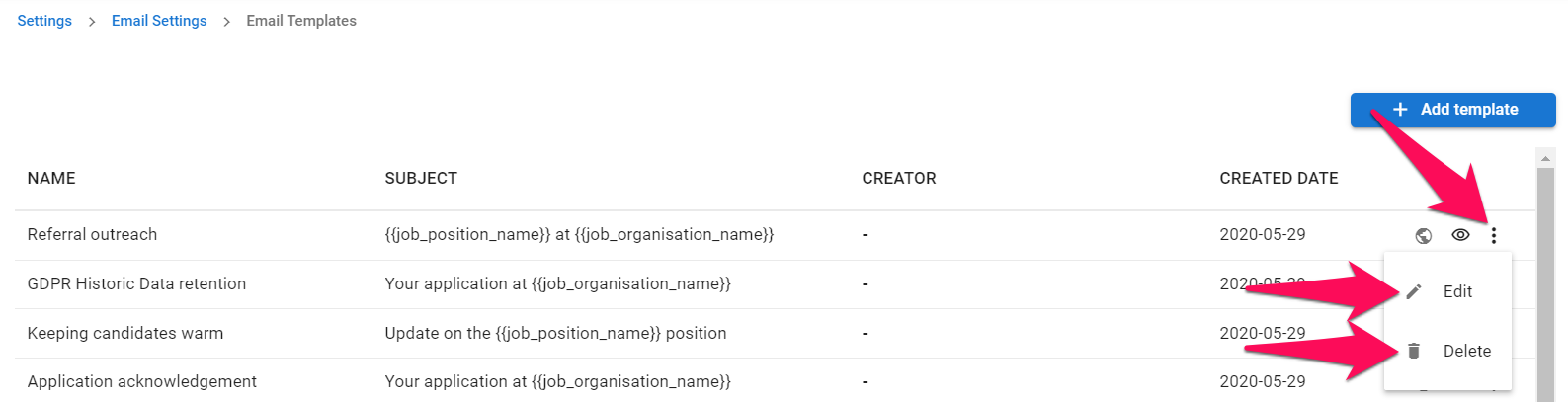
Draft specific, personalized communication templates for each talent segment. Leverage Manatal’s native email templates to standardize your outreach.
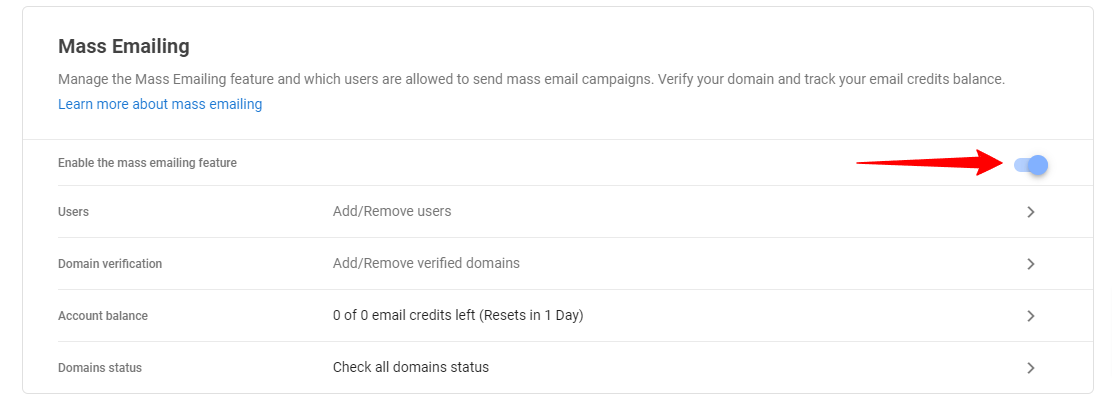
You can then use the Mass Emailing feature to deploy distinct drip sequences for passive executive targets, automated invitations for engineering communities, and separate re-engagement tracks for past candidates at scale.
3.Train Your Sourcing Team on Workflow
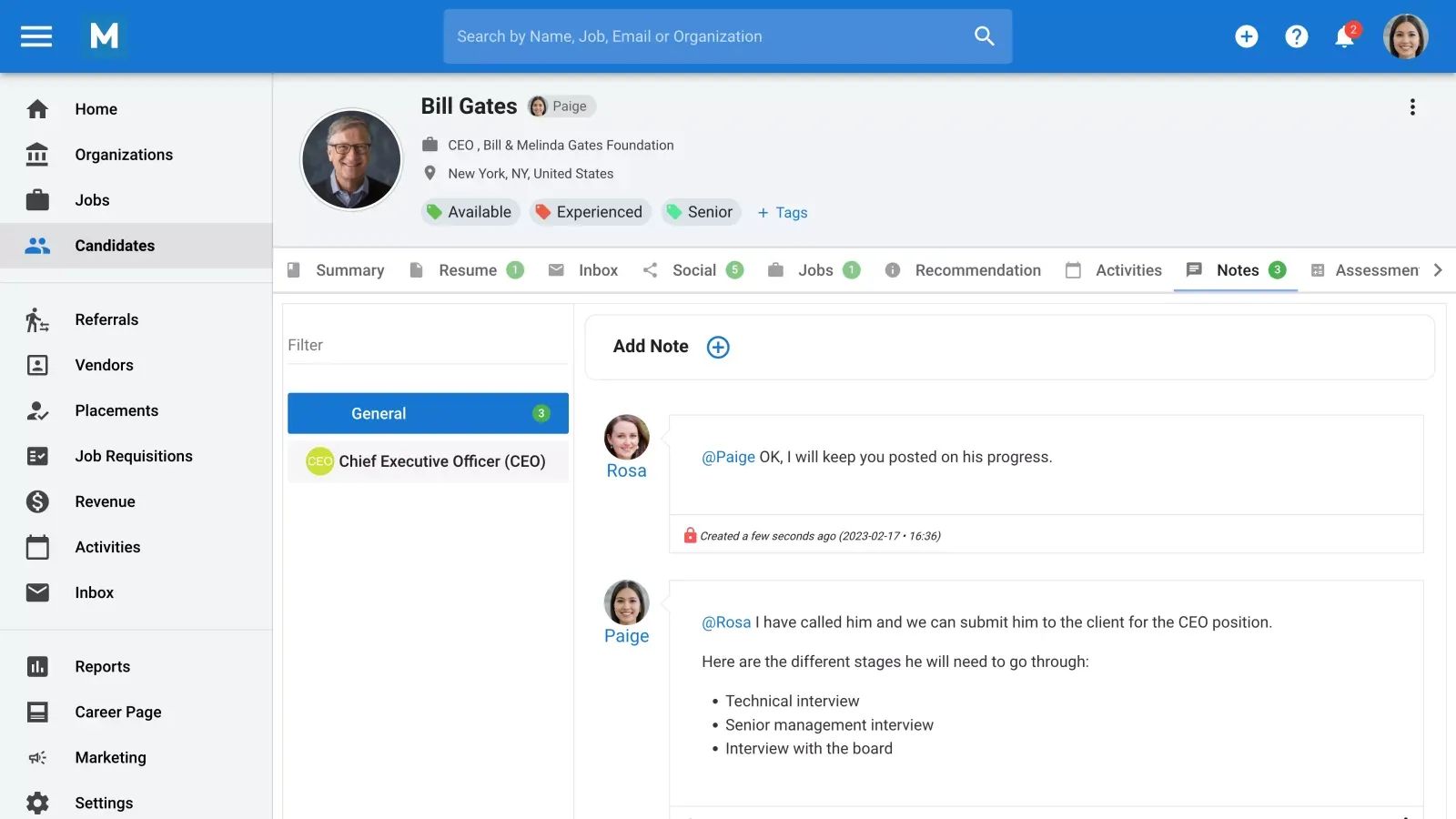
Establish clear rules of engagement for your recruiters. Define how teams should log candidate interactions and collaborate by using the Notes in collaboration and team management feature to ensure every touchpoint is tracked. Clearly outline when to move a contact between talent pools and train the team on the exact process for seamlessly moving a warm lead into the active recruitment pipeline.
Conclusion
Most industry guides treat candidate nurturing like an isolated marketing activity. That approach fails in practice. CRM strategies only deliver results when they live in the same system where recruiters work every day. Disconnected data pools hide critical insights. Recruiters miss candidate engagement histories when trying to fill a role, and marketing teams cannot track which specific campaigns actually produce hires. The best talent teams unify these workflows instead of forcing separate systems to talk to each other.
Frequently Asked Questions
Q: What is Partner Relationship Management (PRM) and Candidate Relationship Management?
A: CRM and PRM target different talent channels in recruitment. Candidate Relationship Management (CRM) tracks, engages, and nurtures passive candidates directly to build internal talent pipelines before roles open. Partner Relationship Management (PRM) manages external talent suppliers, such as headhunters, RPO vendors, and staffing agencies, by organizing contracts, performance metrics, and vendor-submitted candidates in one system.
Q: What are some examples of Candidate Relationship Management?
A: Candidate relationship management platforms vary based on organizational size and specific sourcing workflows. Beamery offers enterprise-level talent sourcing, lifecycle tracking, and workforce planning features. Avature provides tools for candidate marketing, event landing pages, and talent pool management. Platforms such as Gem focus on email campaign automation, sourcer activity tracking, and pipeline analytics for recruiting teams.
Q: What are the 4 types of Candidate Relationship Management systems in recruiting?
A: Operational CRMs automate daily outreach, candidate profile updates, and email drip sequences for sourcers. Analytical CRMs track database metrics to show which sourcing channels produce high-converting hires. Collaborative CRMs log notes, emails, and interaction histories so sourcers, recruiters, and hiring managers share full context. Strategic CRMs focus on long-term employer branding and multi-year relationships with leadership targets.
Q: What are the 5 components of a Recruitment Candidate Relationship Management?
A: Segmentation categorizes candidates by skill set, location, and past interview performance to keep data actionable. Automation schedules targeted email and SMS sequences to keep passive talent engaged without manual effort. Centralized logging records every interaction, email reply, and note on a single candidate profile. Data enrichment automatically updates profiles with current social profiles and skill sets, while pipeline analytics track metrics like campaign engagement and time-to-fill velocity.
Citations:
.webp)







.webp)

.webp)


.webp)


